Starless 17 with multiple controllers (use V9 version)

Can you download that pedalboard and attach it here for me?

Very weird the name is blank, so if you do New pedalboard, then load the pedalboard, (what’s the name in the top left when you load it?), then change something and then save do you see this empty name and save error?

Also I’m guessing this is worse than before?

Nope, it’s the same, just tested a bit more with the bug on hand !

Here is the pedabloard : https://ncp.romainbaret.com/s/FfAfrPHtegkz5ZG

1 Like

I’ll test out that pedalboard in the morning, I’m drinking Whisky and making dinner at the moment so best not to look now!

Can you think of anything you might have changed on the pedalboard before you saved it that might have triggered the bug, adding midi mappings, adding device mappings, adding plugins, that sort of thing?

2 Likes

Cheers !

I’ve done a lot of thinks, but it is a lot :

  • delete a infamous mindi (that send a CC in the midi loopback)
  • looking for the parameter this infamous mindi was targetting and adding a mapping on the device
1 Like

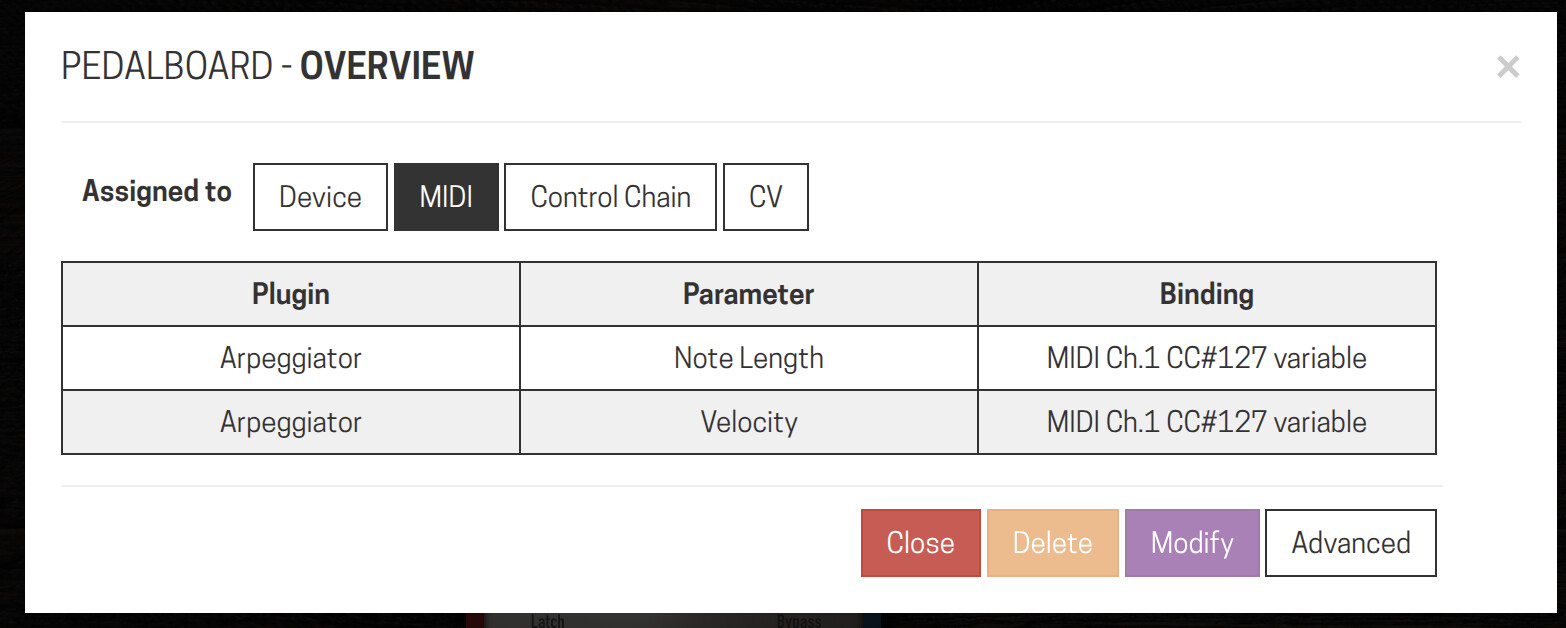
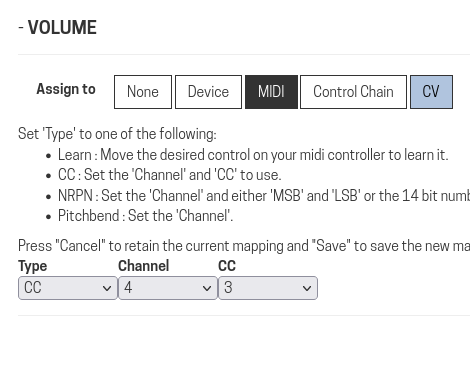
Reloading this pedalbord, I had trouble with the control Change 3 on channel 4 that trigger the delay send : il was mapped to :

  • the renamed Delay send
  • the footswitch 1 of Gossiper 2 (delay et extarnal foot)
  • the footswitch 1 of the Gossiper

Which represent every steps I’ve tried these days. Now that it’s clean I can even share the pedalboard, thing that I couldn’t because the uploader wouldn’t generate a thumbnail… even if the thumbnail was already generate by saving the pedalboard…
Here is the pedalboard :

1 Like

Aha, this could be the smoking gun as that should definitely not happen!

Looking into it…

1 Like

Hi @Rom

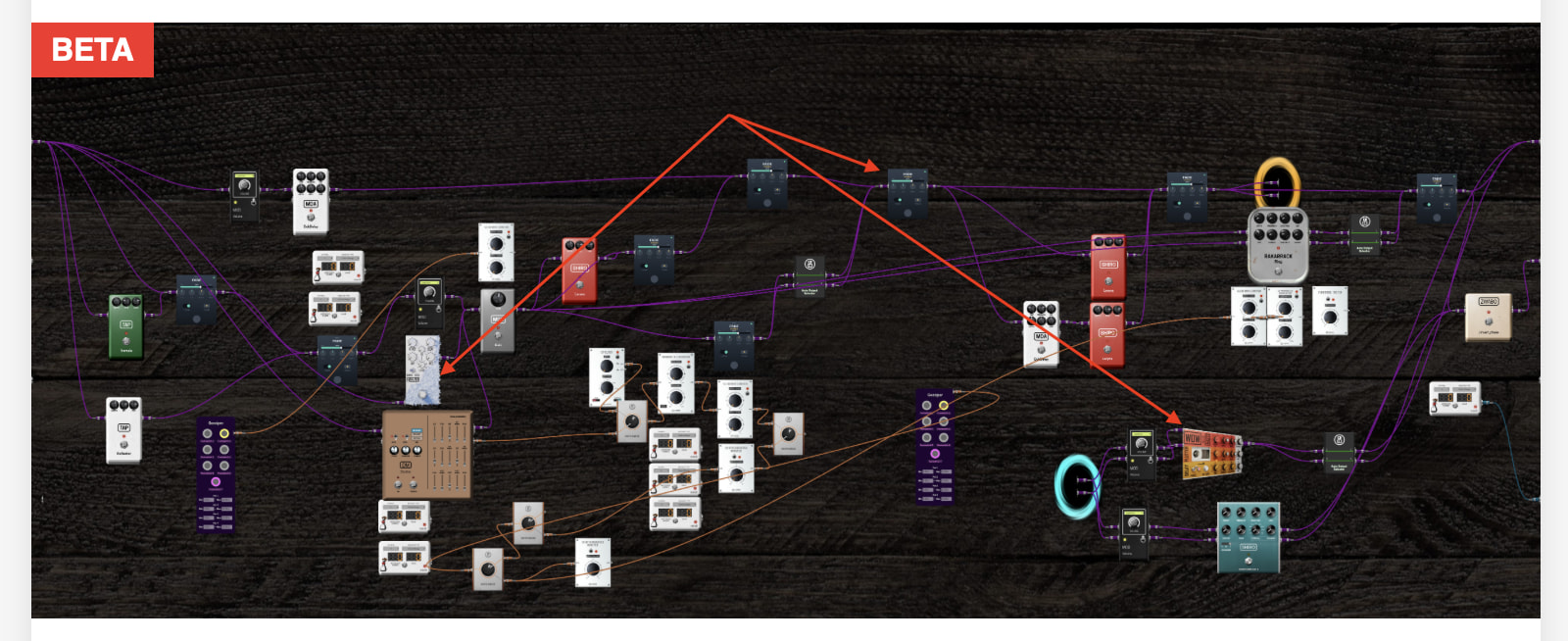
What are the 3 plugins at the end of the arrows:

Here they are :

Nice one thanks.

@Rom ones repeated and ones missing?

Also what ones did you have mappings on, they are the only ones I am really interested in

Also I can’t see this issue in the pedalboards, had you already fixed it by the time you uploaded them?

  • WOW is only piloted in CV (since 3 years)
  • Freezer is mapped with midi and CV (it was CV until this multi-controllers starless)
  • Fade Plugin is brand new, and as you see it’s everywhere… most CVs, but also device + midi of midi

nope, I found the multi-mapped CC message after uploading…

I’m sitting here trying to work out how it’s possible to get multiple midi messages the same mapped, to different places, were you using midi learn or setting them directly in the UI?

I used midi learn… And when I boot the dwarf this morning the Volume Stereo was again set on CC3 channel 4…

I’ve replaced this Volume plugin with itself, saved, and reboot, and it doesn’t change…
I’ve replaced this Volume plugin with another one, saved, and reboot, it’s ok (I rebooted twice)

Something strange with the saving !?

That is very weird, I think you might be onto something though, something wrong with loading or saving.

As far as I can see (and I have been trying) it is impossible to learn the same channel//cc and impossible to enter one manually.

It is possible to load them from pedalboard files though, I have edited one in a text file and it happily loads multiple same assignments.

So I think you are right, it is maybe coming from the save…

Do you by chance have the pedalboard file that was totally working?

Yes, I’ve all my updates since 2023 !
Here it is, before installing Starless 17 with multiple controllers :
https://ncp.romainbaret.com/public.php/dav/files/C4EB5TnoNRTSnG5/?accept=zip

And there is the new one with this morning changes ( Volume Stereo that was keeping CC3 on channel 4, by a Fade Stereo) :
https://ncp.romainbaret.com/public.php/dav/files/moN4KXTqNE3onKF/?accept=zip

Thanks, do you have the last one you saved before the one you mended this morning?

yes : https://ncp.romainbaret.com/public.php/dav/files/MLrFK5XTYxH7yoQ/?accept=zip

Thanks, Good news I have replicated it, it is something to do with the delete mapping I think.

4 Likes

:trophy:
:clap:

1 Like

Hi @Rom

I have found and fixed the problem which was caused by a “fix” I put in to stop an issue when the user “deleted” a midi learn (when nothing has been learnt).

So now I am back to the problem of fixing the old issue hopefully in a way it does not mess anything else up!

I will look at this tomorrow, also I have been adding in code that doesn’t hide multi pedalboards when in single mode, just displays a little icon showing what type it is and also changes the name so you can’t overwrite them by mistake. I will also add the delete doesn’t exit stuff.

I will get this released for you tomorrow morning hopefully…

Thanks so much for the testing, detailed information and files, this has helped greatly in trying to work out what is going on.
1 Like