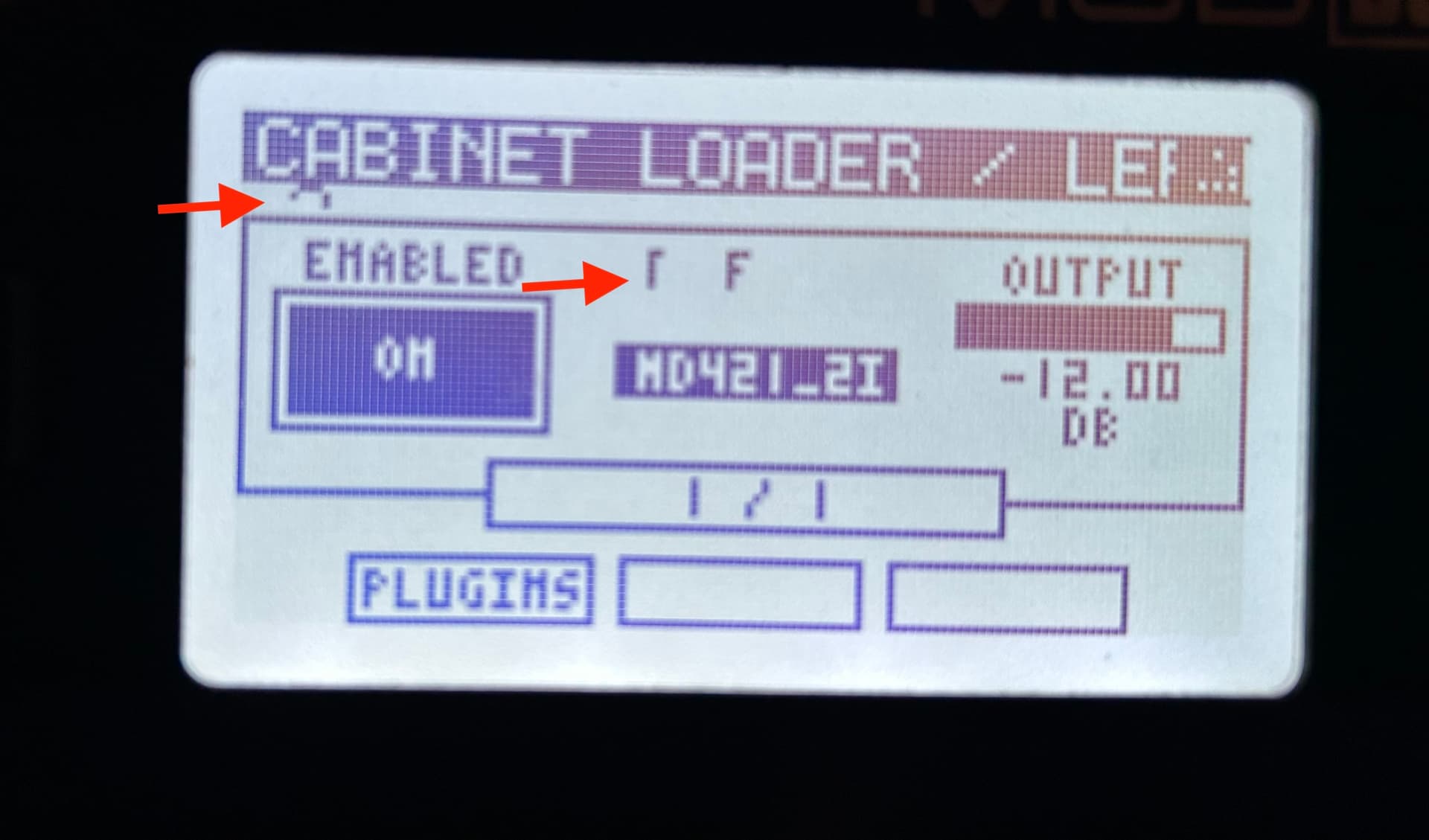
So I’m back to report the bug…in the meantime, I found another that is more visual than anything else: on the Cabinet Loader plugin editor, it seems to be a glitch that creates a funny spot under the plugin title, it also makes somtimes either the header for “Presets” or the preset name itself a bit “funky”
It seems to be in general with the presets, because I just had it happen with the Dragonfly Plate Reverb. Switching pages fixed it.
Now the bug I wanted to report: When changing presets on AIDA-X it freezes the full UI. Audio still goes through, but you can’t interact with the device anymore. You can also still access the WebGUI while the device interface is frozen.
It actually seems to have something more on the behaviour. First, I access the Plugin Editor for AIDA-X and try to change the preset and on the screen, I get another control being changed (always from the LP1 that I also have on this pedalboard). Then I go back to the plugins list and go back to the AIDA-X and it freezes.
Check the video. (Actually, while recording the video, I managed to go a step further than I ever got before, but I believe it was only because I was fast).
EDIT: I guess it interacts with that parameter of the LP1 because it’s what I have assigned for that very same encoder on the first page and first subpage.
Hi Andrea,
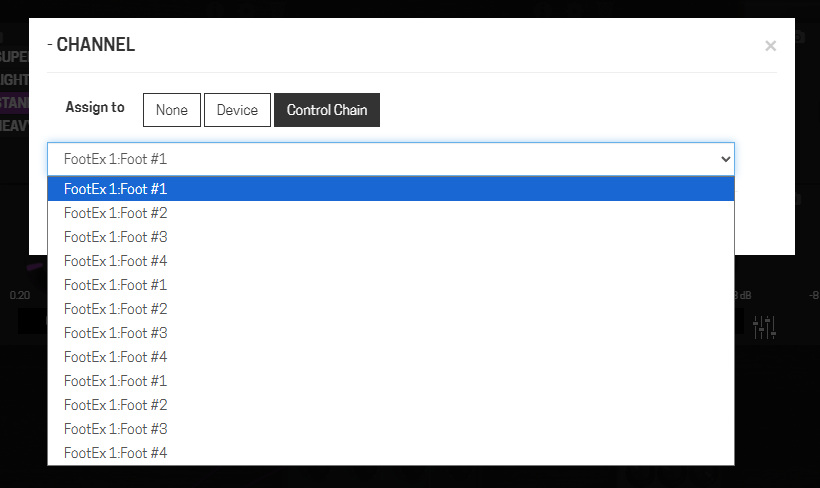
I have a small bug to report, nothing to worry about since it’s quite a remote use case: I noticed that the binding assignment is not working if you have the onboard plug-in editor open. It seems to really assign the control to a footswitch (the icon of the assigned parameter turns purple), but on the device, the binding is not acquired. I didn’t try, but I guess that assigning an encoder would be the same.
I’m reporting this because I assume you’d find any feedback valuable, but I’m not sure it’s worth fixing. This bug requires using the on-board plugin parameter editor and the web GUI simultaneously, which is quite a nonsense imho
Yes, but we can do better, there are some places in the firmware that display a message when attached to the web gui, may be I should do the same and don’t allow on device editing while connected with the GUI.
Ehm, please don’t
I find it very handy to use both the web GUI and the on board editor at the same time, and I remember a post of another user who tweaked the software to bypass that nag screen.
If you think you really need to solve the issue, maybe you should prevent the web GUI from saving a binding if the onboard editor it’s opened.
Sure! I’m really happy that you are getting back on this
Little note, not sure why, but I was not able to share the pedalboard via the share pedalboard feature over the pedalboard feed. I was always getting an error both with your MOD OS version as with the original. So I took it over ssh.
Here is a zip file of it: https://drive.google.com/file/d/1hFIIzDIyY53oWH0Kg_COsFkyu8AbHVP8/view?usp=sharing
I have another thing to add on this: the controls that actually show up is what I have assigned on the normal assignments system. First page, first sub-page.
Thank you so much for creating this great addition to the ModDwarf! I understand that it`s a lot of work and possibly extra work with bugfixes and so on.
That would be great ! @AndyCap (Andrew Cap already made the code but was never merged with the MOD OS.
I can’t find it…
Here is a thread talking about it this some Guthub links
this year it’s been harder than usual for me to get back to my normal pace, and I still have very little free time (day job, family, and music of course). Things are slowly getting back to normal though.
Right now I’m working on the last bug [1] I’d like to fix before doing a release.
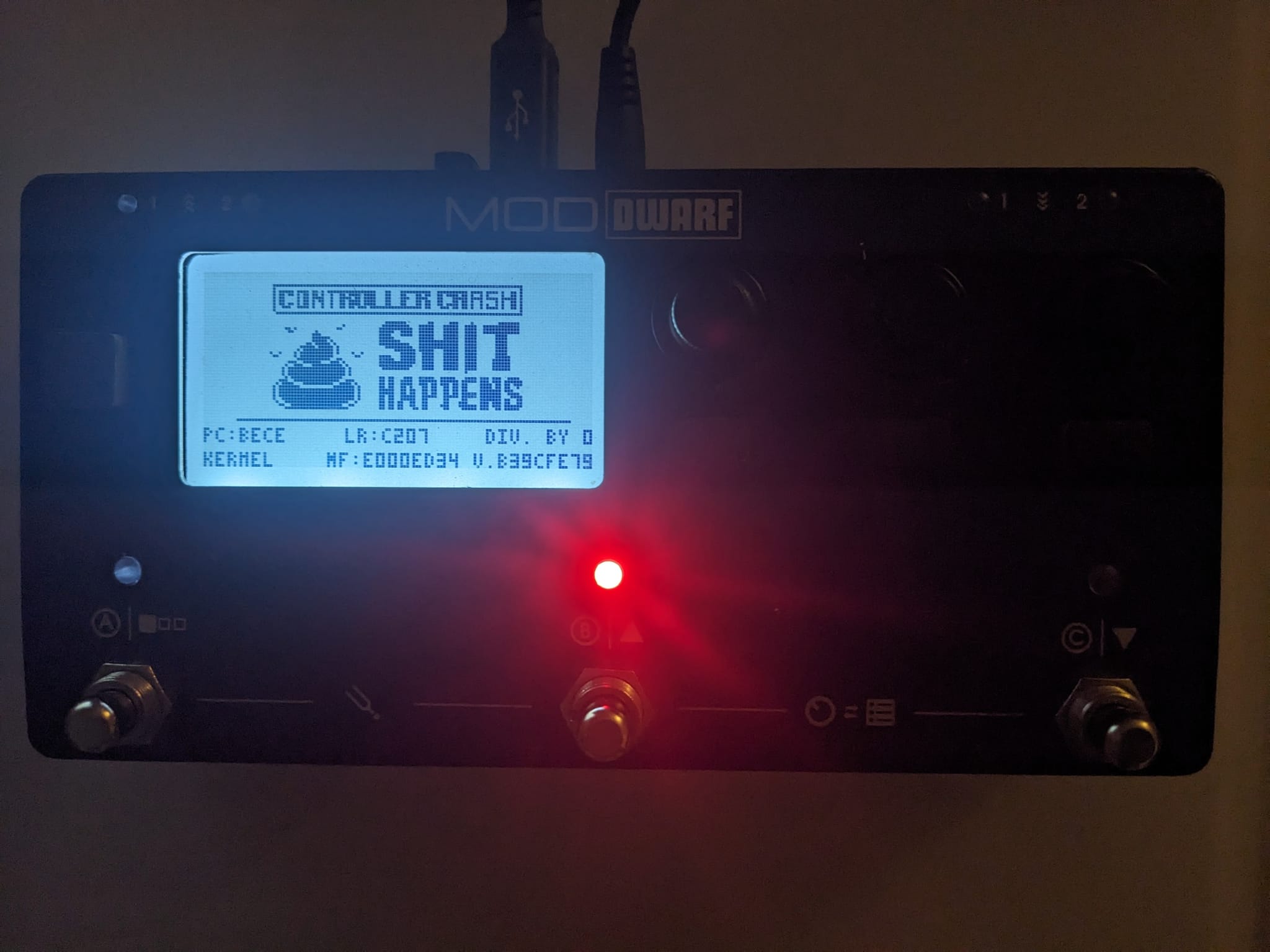
It hasn’t been the most fun task — it turned out to be quite tricky, and there are still a few issues to iron out that can cause the controller to crash pretty badly
Here’s a video showing my progress so far [2]. Keep in mind that the settings are specific to each pedalboard.
I hope to finish this and release a new version soon [3]. After that I’ll try to take a look at the patch Andy linked, but I can’t promise anything since it’s a module I haven’t really looked into yet.
Yep, it depends on the type of crash. In cases of heap or stack corruption the information may be unreliable, but for most other kinds of bugs the PC contains the faulting address and the LR contains the return address of the caller function.
I tested this, and with an exact copy of the firmware compiled with -g I can retrieve the exact .c line using addr2line:
For this reason the crash screen also shows something like v.839cfe79, which is the git commit hash of the distributed firmware version.
Also, the color of the central footswitch indicates the type of fault.
In this case red means a Hard Fault.
The original firmware always used magenta but switched the LED that was lit. I preferred to keep the same LED and just change the color
I’ll try to document everything better in the starless wiki.
EDIT: On a side note, I noticed that the linker files hardware.c file is incorrect. Not all the available RAM was reserved for heap usage — only about 40 KB out of ~64 KB available. I’m still carefully double-checking the changes needed to fix this.
The question now is: why did the original firmware use only 8 KB from the first memory bank for the heap, leaving the remaining ~56 KB mostly for the stack (56 KB − 19 KB for bss + noinit)?
@falkTX or someone from the MOD team — does anyone remember the rationale behind this decision?