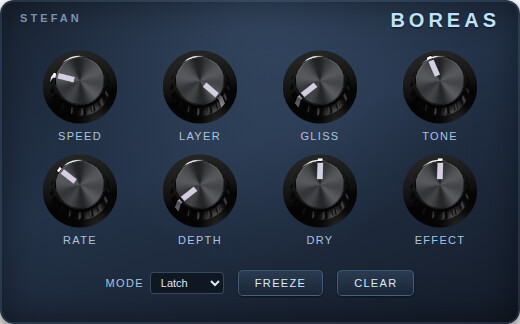
I tried both Mr. Freeze and Freezer and really couldn’t get them to work properly, they were either choppy or the buttons didn’t work as I needed, or they used up all my CPU. And I really wanted to get rid of the last pedal I could not replace which was the EHX Pico Deep Freeze so I started “vibe-coding” it. So here is “Boreas” named after the cold nothern wind.
Algorithmically I doubt it works like the Deep Freeze and it definitely doesn’t work like the Mr. Freeze, there is a short comparison section in the README. But I like it better and I guess that’s what matters in the end
It seems like it has a few issues when testing on the Dwarf which I need to figure out. It makes a pop when freeze is pressed and the toggles are not momentary as I wished. I’ll post back once I’ve fixed those issues. Sound-wise I like it though
Ok all fixed up now in version 0.0.2! I really should have tested on the Dwarf before announcing it here. There were two main issues:
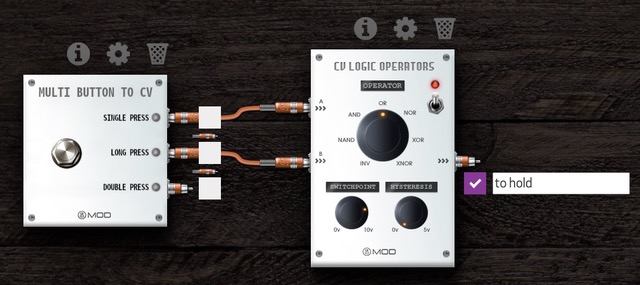
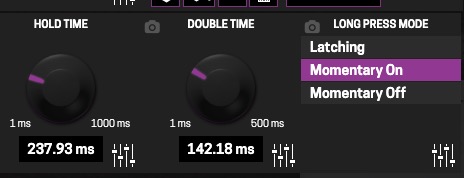
The freeze and clear buttons ought to be triggers and not on/off switches
I was getting xruns (pops) at every freeze due to very poor optimization
Now the buttons have changed to accommodate the hardware and the FFT and other calculations are partially pre-calculated and generally well enough optimized to not use up so much CPU.
Nice, the button actions make more sense now. I thought I was just using it wrong before. However, and please pardon my lack of experience with freeze pedals, I’m not clear on the difference between the Freeze and Hold buttons. They seem similar but not quite.
The freeze button you press once and it adds the current sound to a “memory” or “layer”. You press it again and it adds a second sound to a second layer etc up to 6 layers. Pressing clear once removes the last layer. The hold button doesn’t use layers, it’s like a piano sustain pedal, you hold it pressed and it holds your sound you let it go and it stops playing it.
Hi I want to try this and am a computing idiot-- I downloaded the .tar.gz file for dwarf, I assume I need to uncompress it, and then I can use the Plugin Builder to install it?
If you are using a Mac or Linux (I’m not sure about windows power shell) I think the easiest way to install a plugin package is to use this command line : tar cz package_name.lv2 | base64 | curl -F ‘package=@-’ http://dwarf_address/sdk/install
Turning it into something like a pdf and that could be added to the plugin materials as it’s documentation.
It’s really something that I want to fight for is to have more documentation for the plugins. Especially something more complex like this (I would not prioritise documentation for most of distortions, etc. but this yes).
hey @StefanD, I found some useful info to help you build in the documentation PDF in the plugin package, so it shows up on the plugin info in the MOD WebGUI (just like the LP3 Basic or the CardinalFX does).
Thanks for the pointer! I did it now and also added the correct homepage and plugin category to it. I did the same also to Sitar.
My plan now is to test both plugins in a few weeks, I think Boreas is close to ready but I want to check if the latest bugfixes broke anything.
For Sitar I will play around a bit more with its GUI since I think it’s pointless to have the frequency knobs in the UI, nobody will tweak them from there, so I can make it much more compact and clear to use.


 it really tries to sell the plugin.