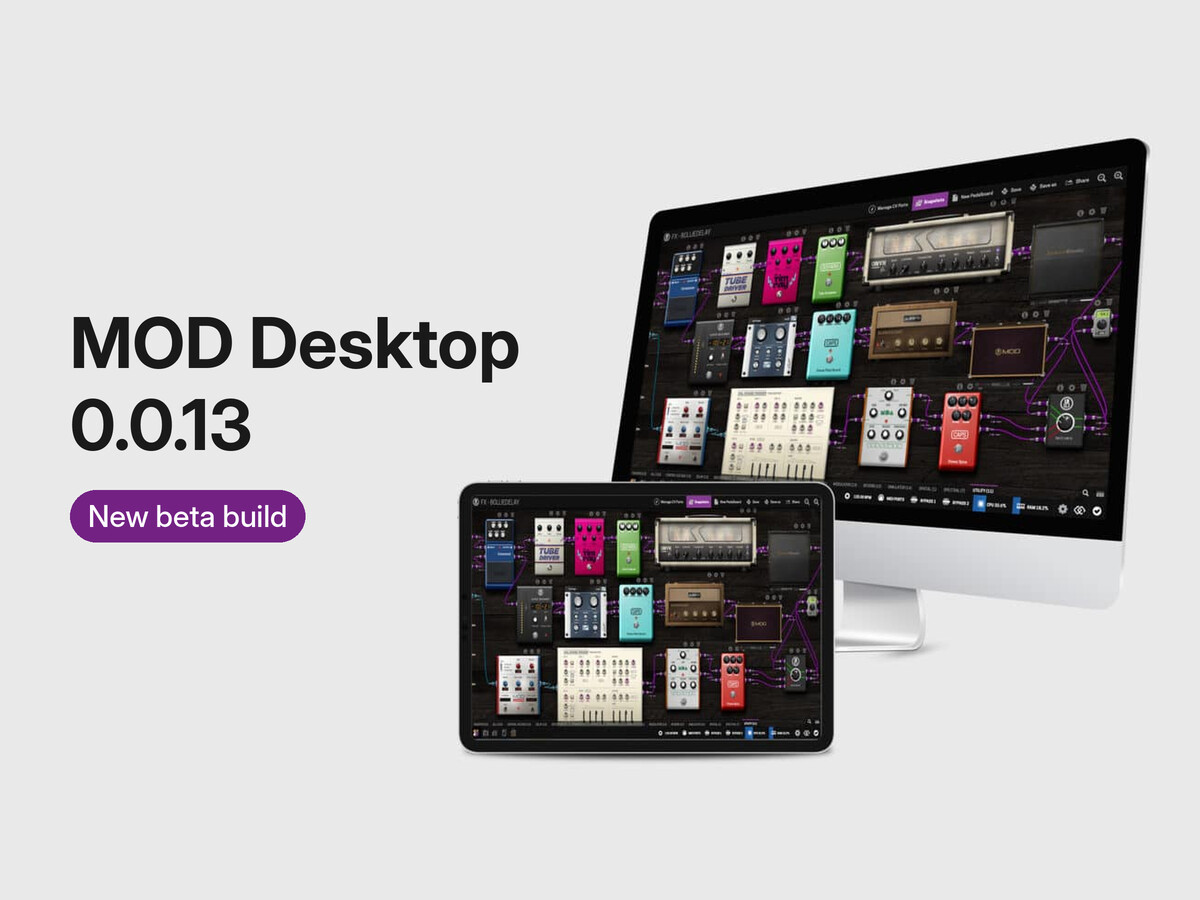
Tone3000 inside MOD Desktop. Same platform-wide implementation as on the MOD OS, courtesy of the Starless folks . Log in, pick a tone, and it lands in the NAM selector ready to play.
Improved Filtering on Tone3000. A change was made to allow better navigation of the T3K database, while still matching the scope with the plugin being used, but it is not 100% yet. Some cases still need to be manually handled.
A bigger, better-tested plugin set: 188 bundles. It includes improvement work on the MOD pitch shifters, mixers, distortion and utilities - that will soon be released to devices too - and the MOD Convolution Loader.
Report a problem button. One click gives you a report that already carries your OS, CPU, memory and audio setup, with a link to this topic.
Call to action on inactive buttons. Instead of hiding the buttons from existing MOD features that are not yet present in the MOD Desktop, clicking them now opens an overlay for a bit advertising for the MOD Dwarf
Fixed
Pedalboards no longer hang on “Loading” on macOS. The audio server could crash underneath the UI; both causes are fixed.
Windows: pedalboards and folders with spaces in their names now save and load.
Windows: the NAM and file selector now lists your models and selects a downloaded one.
Windows: more reliable audio device handling.
Multi level file navigation is now working with no hiccups.
Known issues
On Windows, some USB interfaces only open reliably with WDM-KS, or with the Windows device set to 48 kHz. Make sure to go to the Advanced settings of your sound card and set both inputs and outputs to 48kHz
When using the cabinet loader to call T3K, users need to manually select IRs to remove NAM models of cabinets from the offers.
Help us test.
The MOD Desktop still requires a lot of testing, especially in regards to the use of it as a plugin in a DAW.
Reply in this topic with what happened and the report text.
I’m having an issue with the Linux version of the plugin.
I’ve tested it with REAPER 7.82 and Ardour 9.8 on Debian 13, but both DAWs crash or fail to load the plugin correctly. The same error occurs with all plugin formats: LV2, CLAP, VST, and VST3.
$ pw-jack reaper
jack: created client
jack: setting TIME_CRITICAL = 76
jack: activated client
[dpf] SharedMemory::canInit(1) - true
[dpf] assertion failure: "appDir != nullptr" in file utils.cpp, line 254
[dpf] MOD Desktop: Failed to init environment
Segmentation fault
$ pw-jack /opt/Ardour-9.8.0-demo/bin/ardour9
Ardour9.8.0 (built using 9.8 and GCC version 10.2.1 20210110)
Ardour: [INFO]: Your system is configured to limit Ardour to 524288 open files
Ardour: [INFO]: Loading system configuration file /opt/Ardour-9.8.0-demo/etc/system_config
Ardour: [INFO]: Loading user configuration file /home/aki/.config/ardour9/config
Ardour: [INFO]: CPU vendor: GenuineIntel
Ardour: [INFO]: AVX capable processor
Ardour: [INFO]: AVX with FMA capable processor
Ardour: [INFO]: CPU brand: 12th Gen Intel(R) Core(TM) i5-1235U
Ardour: [INFO]: Using AVX and FMA optimized routines
Ardour: [INFO]: Loading plugin meta data file /opt/Ardour-9.8.0-demo/share/plugin_metadata/plugin_tags
Ardour: [INFO]: add_lrdf_data '/home/aki/.config/ardour9/rdf:/opt/Ardour-9.8.0-demo/share/rdf:/usr/local/share/ladspa/rdf:/usr/share/ladspa/rdf'
Ardour: [INFO]: read rdf_file 'file:///usr/share/ladspa/rdf/ladspa.rdfs'
Ardour: [INFO]: read rdf_file 'file:///usr/share/ladspa/rdf/swh-scales.rdf'
Ardour: [INFO]: read rdf_file 'file:///usr/share/ladspa/rdf/swh-plugins.rdf'
Ardour: [INFO]: read rdf_file 'file:///usr/share/ladspa/rdf/swh-aux.rdf'
Cannot install SIGPIPE error handler
Ardour: [INFO]: Loading default ui configuration file /opt/Ardour-9.8.0-demo/etc/default_ui_config
Ardour: [INFO]: Loading 471 MIDI patches from /opt/Ardour-9.8.0-demo/share/patchfiles
Ardour: [INFO]: Loading color file /opt/Ardour-9.8.0-demo/share/themes/dark-ardour.colors
Ardour: [INFO]: Loading ui configuration file /opt/Ardour-9.8.0-demo/etc/clearlooks.rc
Ardour: [INFO]: Loading bindings from /opt/Ardour-9.8.0-demo/etc/ardour.keys
Loading ui configuration file /opt/Ardour-9.8.0-demo/etc/clearlooks.rc
Ardour: [INFO]: Detecting Audio/MIDI Devices
ALSA: Cannot open device 'hw:Gen,0': Device or resource busy
ardour-request-device: Failed to acquire device: 'Audio0'
Device or resource busy
Ardour: [INFO]: Audio/MIDI Devices detection complete. Elapsed time: 133 ms
Found nothing along /home/aki/.config/ardour9/templates:/opt/Ardour-9.8.0-demo/share/templates
lilv_world_add_plugin(): warning: Duplicate plugin <https://community.ardour.org/node/7596>
lilv_world_add_plugin(): warning: ... found in file:///opt/Ardour-9.8.0-demo/lib/LV2/reasonablesynth.lv2/
lilv_world_add_plugin(): warning: ... and      file:///usr/lib/lv2/reasonablesynth.lv2/ (ignored)
lilv_world_add_plugin(): warning: Duplicate plugin <urn:ardour:a-eq>
lilv_world_add_plugin(): warning: ... found in file:///opt/Ardour-9.8.0-demo/lib/LV2/a-eq.lv2/
:
:
Set cursor set to default
[dpf] SharedMemory::canInit(1) - true
[dpf] assertion failure: "appDir != nullptr" in file utils.cpp, line 254
[dpf] MOD Desktop: Failed to init environment
I’ve also tested both DAWs on Windows 11, where the plugin works as expected.
Could you please look into this issue? It seems to be specific to the Linux version.
Hi @Inqb8tr-jp, thanks for the detailed report and the logs.
The Linux plugin finds the MOD Desktop application through a small file that the application writes when it starts. The application puts that file in your Documents folder as your desktop names it.
The plugin always looks in ~/Documents. If your system language is not English, your Documents folder has a different name, so the plugin never finds the application. That is likely why it fails in every format and every DAW, and why Windows is not affected.
From the next build on, MOD Desktop on Linux will keep its files in the root of the home folder ~/MOD Desktop, so the folder name no longer depends on the language.
Until then, this should get the plugin working with 0.0.13:
Start the MOD Desktop application once (mod-desktop.run from the download), then close it.
Could you tell us what xdg-user-dir DOCUMENTS prints on your system?
REAPER should not crash even when the plugin fails to start; that is a separate bug. If you have a moment, could you run REAPER under gdb with the old setup (before the workaround) and post the output?
That kills my initial assumption. Sorry about that.
The cause is a packaging mistake on our side: in the Linux 0.0.13 download, the MOD Desktop application leaves its note for the plugin under the name of the “previous” version (0.0.14), while the plugin looks for 0.0.13. So the plugin never finds the application, on any Linux system. I tried to reproduced it here, and the fix below makes the plugin start.
Workaround until the corrected download is up:
Start the MOD Desktop application once (mod-desktop.run), then close it.
I connected my guitar to my scarlett solo usb, I can see in the mac the mic level is earing my guitar (I can actually hear it from the speakers with other applications), but I cannot hear it from mod-desktop. Moreover mod desktop is not asking for microphone access, while other applications did.
Steps to reproduce
In the web ui I connected input2 (scarlett guitar input) to outputs 1 and 2
moved all potentiometers to maximum
Expected
should hear the guitar on the speakers
MOD release:   0.0.13
Product:       MOD Desktop / macos-universal
Computer OS:   macOS 15.8 (x86_64)
CPU:           Intel(R) Core(TM) i3-8100B CPU @ 3.60GHz, 4 threads
Memory:        8 GB
Up for:        4h 40m
Audio engine:  48000 Hz, buffer 256 frames
Audio start:   -R -S -n mod-desktop -X coremidi -C ./jack/jack-session.conf -d coreaudio -r 48000 -p 256 -d AppleUSBAudioEngine:Focusrite:Scarlett Solo USB:Y7ZNNP50B6EABB:1,2
Xruns:         9   DSP load: 5.2%
Pedalboard:    "Test1" (2 plugins)
  - http://github.com/mikeoliphant/neural-amp-modeler-lv2
  - http://gareus.org/oss/lv2/modmeter
Web UI at:     127.0.0.1:18181
Browser:       Mozilla/5.0 (Macintosh; Intel Mac OS X 10_15_7) AppleWebKit/537.36 (KHTML, like Gecko) Chrome/155.0.0.0 Safari/537.36
Starting jackd using:
-R -S -n mod-desktop -X coremidi -C ./jack/jack-session.conf -d coreaudio -r 48000 -p 256 -d AppleUSBAudioEngine:Focusrite:Scarlett Solo USB:Y7ZNNP50B6EABB:1,2
jackdmp 1.9.22
Copyright 2001-2005 Paul Davis and others.
Copyright 2004-2016 Grame.
Copyright 2016-2023 Filipe Coelho.
jackdmp comes with ABSOLUTELY NO WARRANTY
This is free software, and you are welcome to redistribute it
under certain conditions; see the file COPYING for details
482:driver_get_descriptor
JACK server starting in realtime mode with priority 10
self-connect-mode is "Don't restrict self connect requests"
Input channel = 0 ==> JACK input port = 0
Input channel = 1 ==> JACK input port = 1
JACK output port = 0 ==> output channel = 0
JACK output port = 1 ==> output channel = 1
CoreMIDI driver is opened...
Internal client mod-midi-merger successfully loaded
Internal client mod-midi-broadcaster successfully loaded
Internal client mod-host successfully loaded
JackCoreMidiDriver::Start - Starting driver.
JackCoreMidiDriver::Start - Enabling physical input ports.
JackCoreMidiDriver::Start - Enabling physical output ports.
JackCoreMidiDriver::Start - Enabling virtual input ports.
JackCoreMidiDriver::Start - Enabling virtual output ports.
JackCoreMidiDriver::Start - Driver started.
CoreAudio driver is running...
DeviceNotificationCallback kAudioDeviceProcessorOverload
DeviceNotificationCallback kAudioDeviceProcessorOverload
DeviceNotificationCallback kAudioDeviceProcessorOverload
DeviceNotificationCallback kAudioDeviceProcessorOverload
DeviceNotificationCallback kAudioDeviceProcessorOverload
DeviceNotificationCallback kAudioDeviceProcessorOverload
DeviceNotificationCallback kAudioDeviceProcessorOverload
DeviceNotificationCallback kAudioDeviceProcessorOverload
Device ID = '50' name = 'Scarlett Solo USB', internal name = 'AppleUSBAudioEngine:Focusrite:Scarlett Solo USB:Y7ZNNP50B6EABB:1,2' (to be used as -C, -P, or -d parameter)
Device ID = '97' name = 'Mac mini Speakers', internal name = 'BuiltInSpeakerDevice' (to be used as -C, -P, or -d parameter)
DeviceNotificationCallback kAudioDeviceProcessorOverload
DeviceNotificationCallback kAudioDeviceProcessorOverload
DeviceNotificationCallback kAudioDeviceProcessorOverload
DeviceNotificationCallback kAudioDeviceProcessorOverload
Hi @dcalta, thanks for the report and the logs, they show it clearly: MOD Desktop opens your Scarlett fine, but macOS never gives it the input signal, because it never asked you for microphone access.
That was on our side: the 0.0.13 macOS installer was not signed, and without a signature macOS doesn’t show the microphone prompt. It hands the app silence instead.
The 0.0.13 macOS installer on the download page is now signed.
Please try the following:
Quit MOD Desktop and uninstall it.
Download mod-desktop-0.0.13-macOS.pkg again from Release 0.0.13 · mod-audio/mod-desktop · GitHub and install it. The request to allow in Privacy & Security remains required, as this version is not homologated
Start MOD Desktop. macOS should ask for microphone access. Allow it, and the input should come through.
If you don’t get the prompt, check System Settings → Privacy & Security → Microphone and make sure MOD Desktop is switched on.
Ciao Gianfranco, that worked thanks for the fast support!
What happened
I’m now getting some annoying XRUNS, with the CPU load being always below 10%, can we improve the priorities or increase the buffer size to 512 or 1024? the latter is currently limited to 256.
Steps to reproduce
connect one nam emulator between input and output on the system below and play
Expected
no xruns or very limited
System
MOD release:   0.0.13
Product:       MOD Desktop / macos-universal
Computer OS:   macOS 15.8.1 (x86_64)
CPU:           Intel(R) Core(TM) i3-8100B CPU @ 3.60GHz, 4 threads
Memory:        8 GB
Up for:        0h 43m
Audio engine:  48000 Hz, buffer 256 frames
Audio start:   -R -S -n mod-desktop -X coremidi -C ./jack/jack-session.conf -d coreaudio -r 48000 -p 256 -d AppleUSBAudioEngine:Focusrite:Scarlett Solo USB:Y7ZNNP50B6EABB:1,2
Xruns:         63   DSP load: 4.2%
Pedalboard:    "Test1" (2 plugins)
  - http://github.com/mikeoliphant/neural-amp-modeler-lv2
  - http://gareus.org/oss/lv2/modmeter
Web UI at:     127.0.0.1:18181
Browser:       Mozilla/5.0 (Macintosh; Intel Mac OS X 10_15_7) AppleWebKit/537.36 (KHTML, like Gecko) Chrome/155.0.0.0 Safari/537.36
About bigger buffers: we keep MOD Desktop on the same sizes as the units for now, because several plugins change how they work with the buffer size, and nothing has been tested above 256 yet. Your numbers suggest the buffer is not the cause anyway.
Your log shows macOS itself reporting that the audio thread was late (kAudioDeviceProcessorOverload), while the DSP load stays at 4 %, so the plugins are not the problem: something delays the audio thread. To narrow it down, could you try:
Do you hear the xruns as clicks, or do you only see the counter go up? The counter also counts the moments when a pedalboard loads, and it never resets until you restart MOD Desktop.
Remove the meter plugin, close the browser tab after setting up the pedalboard, and play for 10 minutes. Does the counter still climb?
Quit every other app that uses the Scarlett, and check in Audio MIDI Setup that it is set to 48 kHz. While playing, look at Activity Monitor → Memory: is the “Memory Pressure” graph yellow or red?
As a comparison, select the Mac mini speakers as the device in MOD Desktop, with no input, and let it run for 10 minutes. Does the counter stay at 0?
In MOD Desktop, tick “Show logging panel”, then “Verbose jackd”, restart, play until you get a few xruns, and post the log.
I’M facing with a problem when I would use it as a VST in reaper:What happened
When I run it as a vst3 in Reaper, it says “error adding effect” I’ve tried with custom plugins too, and even with factory ones, same result.In standalone mode everything works as it should.
Steps to reproduce
Pick any plugin, and try to pull it on the board.
Expected
You will got an “Error adding effect” message.
MOD release:   0.0.13
Product:       MOD Desktop / win64
Computer OS:   Windows 11 (build 10.0.26100, AMD64)
CPU:           AMD Ryzen 7 3750H with Radeon Vega Mobile Gfx, 8 threads
Memory:        14 GB
Up for:        7h 50m
Audio engine:  48000 Hz, buffer 128 frames
Audio start:   -R -S -n mod-desktop -X winmme -C .\jack\jack-session.conf -d portaudio -r 48000 -p 256 -d ASIO::Audient USB Audio ASIO Driver
Xruns:         0   DSP load: 3.7%
Pedalboard:    "Untitled" (0 plugins)
Web UI at:     127.0.0.1:18213
Browser:       Mozilla/5.0 (Windows NT 10.0; Win64; x64) AppleWebKit/537.36 (KHTML, like Gecko) Chrome/153.0.0.0 Safari/537.36 OPR/137.0.0.0
Launcher log, lines about problems since the last start (~\OneDrive\Dokumentumok\MOD Desktop\launcher.log):
2026-10-24 16:38:33 JackWinMMEDriver::Open - while creating output port: Undefined external error. | winmme, system_midi, out
The plugin only runs while REAPER is processing audio, and adding a plugin needs that to happen.
My first guess is that REAPER’s audio device isn’t running while the MOD Desktop app also is: both would want the Audient ASIO driver, and most ASIO drivers take one program at a time.
Could you check:
Is the MOD Desktop app (the tray icon) running while you use the plugin in REAPER? If yes, quit it, restart REAPER and try again.
In REAPER, is the audio device open? (No “audio device closed” in the title bar; the performance meter moves.)
When you drop a plugin, does the error show right away or after a few seconds?
It’s strange, but I couldn’t reproduce the problem, everything works fine.The only difference is now, that in the morning I’ve made a preset in the standalone version, and later as i tried the VST3 version within Reaper, it loaded that preset, and I could swap effects without any problems.Perhaps it was a preset related thing, but if I start the VST3 version with a working preset, it seems to work as it should. I also started to create a new pedalboard to see if effect implementation works, and it worked well.
 . Log in, pick a tone, and it lands in the NAM selector ready to play.


