Hello, I use regularly the MOD Desktop for guitar and bass rigs and I’m very enthusiast (tomorrow I will introduce it on a big italian YT channel).
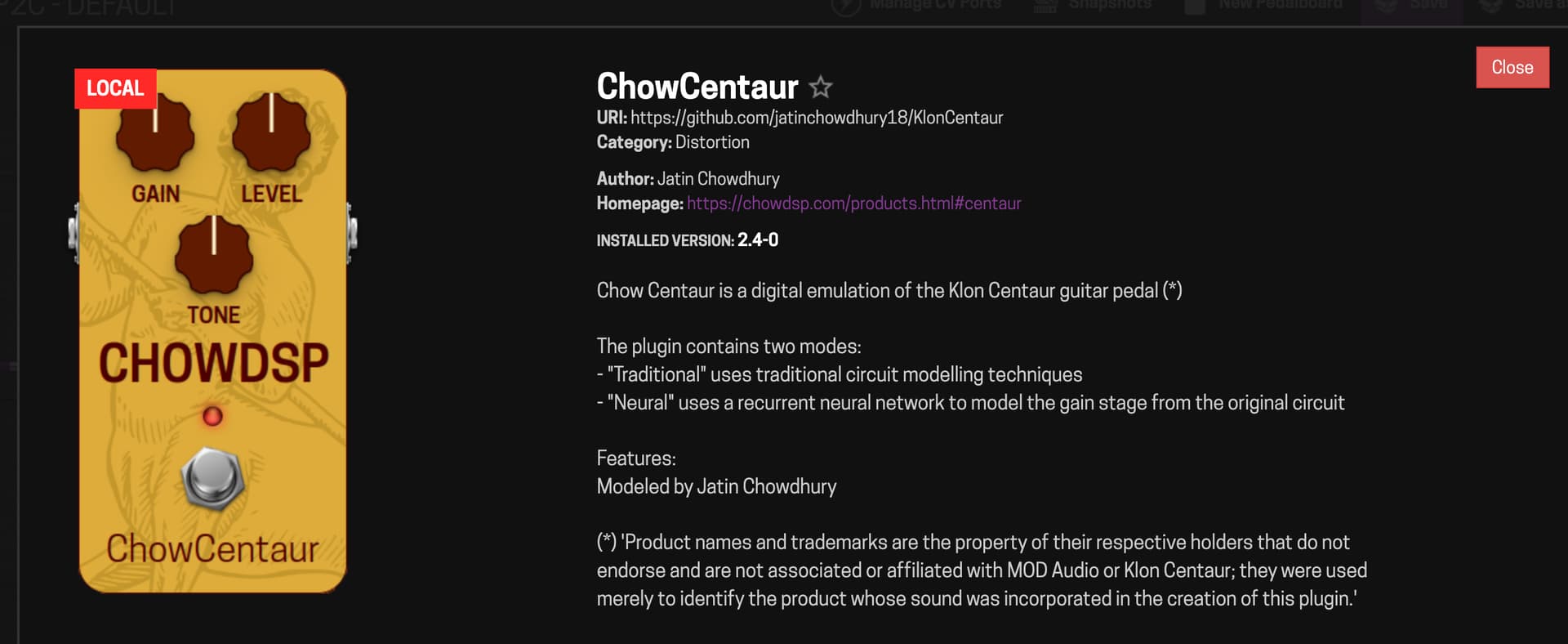
I can say that many plugins work very well but I must report that the ChowCentaur on Distortion menu is not working at all.
On Dwarf is one of my fav plugins and is great.
5 Likes
Sorry if this has already been requested but is possible to enable the share function to allow us to upload patches built on desktop and then import them on our devices?
Mod Desktop works really well as a means to build FX chains when on the move so would love to see this. Is it possible?
1 Like
In what way is it not working? I haven’t used the desktop MOD yet.
Is there no midi input to choose from?
I’ll try my end later tonight to see if I can get it working
OK had a bit of a play this pm. TOUCHOSC works perfectly - windows 10 home with standalone mod running.
Can no one from MOD Audio answer this basic question?
Sorry for the lack of response
We surely wish to enable the sharing, but for that we need to work on somethings from the back end first
But I can assure you it is wished here too 
4 Likes
Thanks! Good to know.
although not ideal, if you geek out a bit you can copy the boards mannualy.
maybe that helps for the time being
Thanks - is there any guides for that?
not really
are you using Windows, Mac or Linux?
I’m using a Mac for Mod Desktop.
Guessing I can somehow save the patch as a file and then import manually somehow?
The pedalboards are already saved as subfolders inside the “~/Documents/MOD Desktop/pedalboards” folder.
You need to copy the desired ones to the “.pedalboards” folder inside the Dwarf.
Do you know how to use the “scp” command ?
1 Like
Yep, can use that. How do I get them onto the device?
You just need to scp the desired boards to the .pedalboards folder inside your Dwarf.
Credentials and file system instructions are here: Access MOD using SSH - MOD Wiki
let me know if that helps
1 Like
Any chance the MOD Desktop could be made available to install/update using winget on windows? It’s really nice to see it being updated so fast and that could make it easier to always use the latest version on windows
Unlikely, at the moment it’s still alpha software so it doesn’t make sense to push it to a repository.
But also using something like winget puts a lot of strain on packaging and distribution side.
(there might also be licensing issues, it is Microsoft after all)
For now using the github releases is the best way.
Great - thanks!
I couldn’t find the lv2 plugin version of mod-desktop mentioned here. Where can I download it?
Also for the normal desktop version, is there any way to modify the number of pipewire inputs used, similar to REAPER?
I discovered mod desktop a few days ago, and I’m using it to evaluate if I could use dwarf in my setup.
I’m an acoustic guitar player and I’m currently using line6 helix LT, but I’m impressed by the mod ecosystem and routing possibilities! Great work!
I don’t know if it’s possible but it could be useful to have a sort of visual clue on the cpu load meter to compare the current pedalboard cpu requirement to the dwarf cpu (perhaps by comparing linux bogomips?)
Anyway I’m liking a lot what you are doing, even if it’s not still perfect and I want to say thanks.
Ciao,
Andrea
P.S.
How can I include a link to some improvvisation I made with the ModDesktop?
3 Likes
Hi folks, first post here, wanted to make my first dive into the MOD world by installing this desktop version but I encountered an issue that’s stopping me on two different win11 PCs: whenever I press the Start button it stops again after a couple seconds and I get this error in the mod-ui log
Traceback (most recent call last):
File “.\lib_startup_.py”, line 40, in run
File “.\lib\Console.py”, line 37, in run
File “utils\cxfreeze\mod-ui-setup.py”, line 13, in
File “.\lib\Cryptodome\Cipher_init_.py”, line 36, in
File “.\lib\Cryptodome\Cipher_mode_gcm.py”, line 51, in
File “.\lib\Cryptodome\Util_cpu_features.py”, line 34, in
File “.\lib\Cryptodome\Util_raw_api.py”, line 315, in load_pycryptodome_raw_lib
OSError: Cannot load native module ‘Cryptodome.Util._cpuid_c’: Not found ‘_cpuid_c-cpython-38.dll’, Not found ‘_cpuid_c-abi3.dll’, Not found ‘_cpuid_c.cp38.pyd’, Not found ‘_cpuid_c.pyd’
It seems this files are missing but I don’t know where to find them nor where they should be. Anyone who could give me a hint?