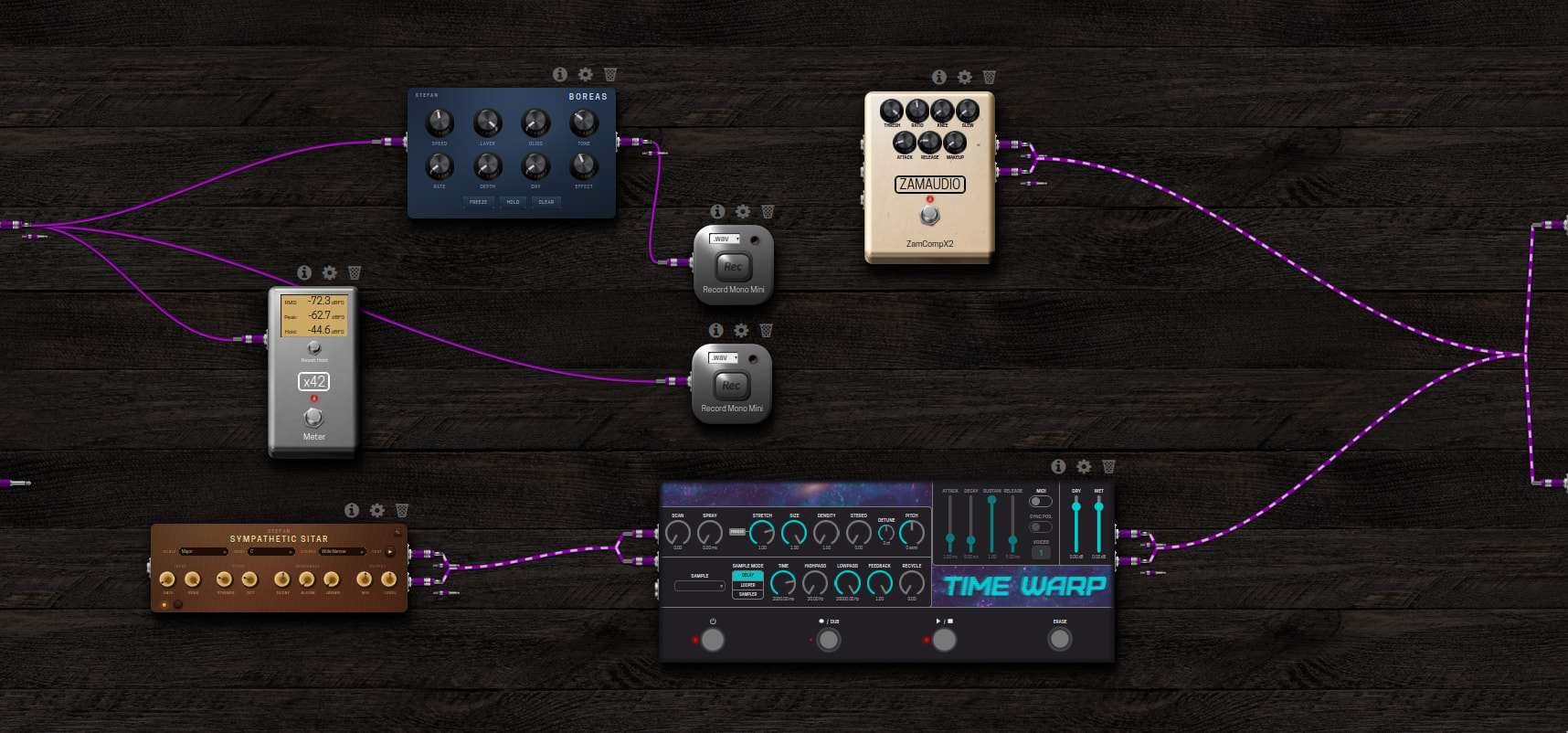
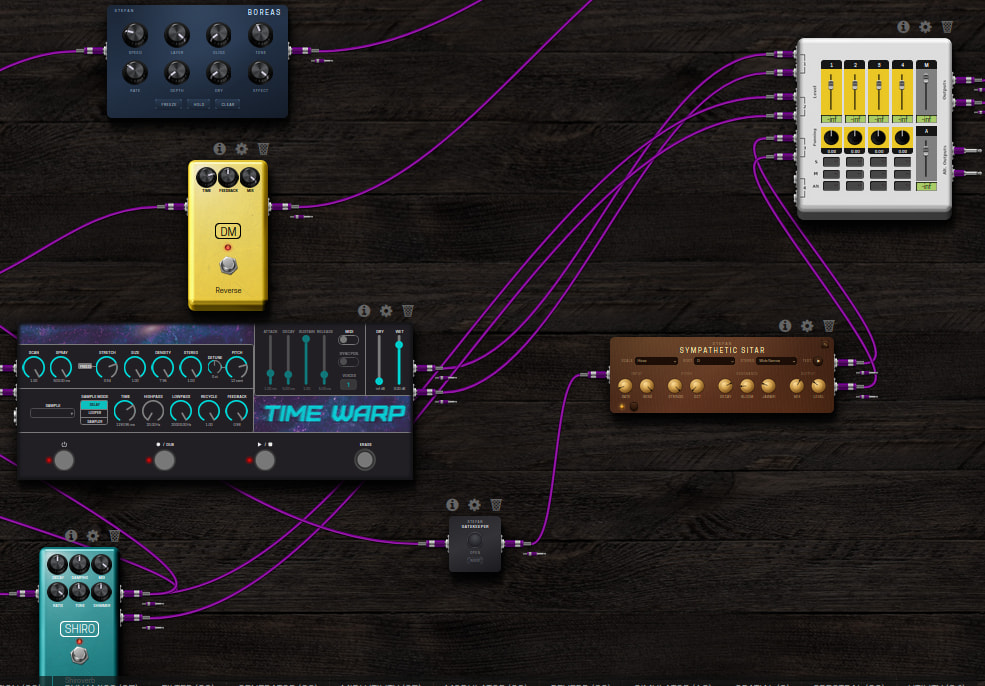
Any opinions on stereo cables to reduce visual clutter? They are auto-detected once you connect an output pair to a matching input pair and you can also connect pairs automatically with shift+drag from one plugin to another.
That would be great, and it has also been requested in the past.
As a side note, not directly related to stereo cables but to jack handling: it would be nice to have some UI indication when an input jack has more than one cable connected to it.
It sometimes happens that I accidentally connect the wrong jacks. This usually happens with stereo connections: I connect the left output channel to the left input channel of the next plugin, and then, because of the “snap” feature, I accidentally connect the right output channel to both inputs of the next plugin.
I then end up with both the left and right channels connected to the same input of the next plugin.
I think stereo cables is a great idea, it would really help to clean up my board.
It also reminds me of an idea that I posted a while back where I suggested cableless patch bays. The original thought was really to be able to have invisible cables.
The flexibility of making your own wild connections is fantastic but it comes at a visual price.
Unfortunately, my idea was deemed to be difficult (or labour-intensive) to implement. I am not a developer myself, so I’m rather useless…
So say you have 2 objects, one with 8 inputs and one with 8 outputs and you can connect a single special multi-channel cable between them. This could save clutter a lot while still being able to see the signal flow.
I really like this “take stereo i/o and combine them into a single braided cable” as well though. This would probably have much more general use.
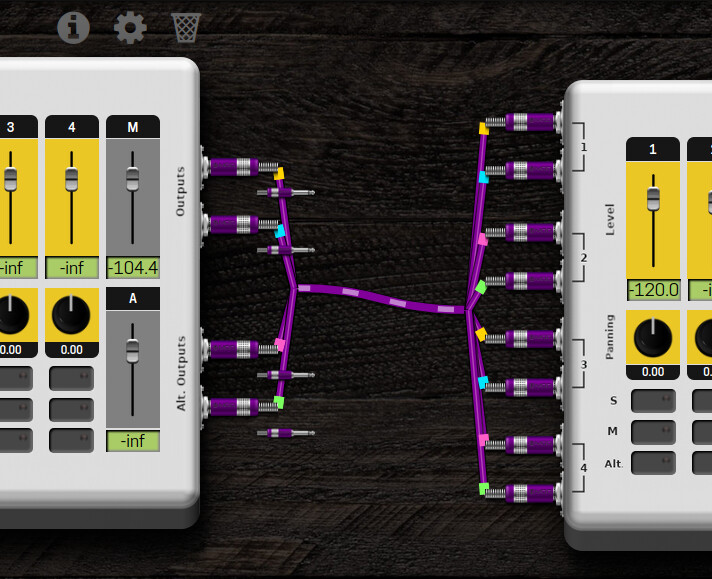
I like your idea if I understood it correctly! It generalizes my stereo grouping to: “if there are multiple cables going from one plugin to another, group them together and split at start and end”? Maybe I could add some color hints to the cables so it’s clear which ends up where exactly since the order would not be clear in a bundle
I think that hovering the Mouse over the pugin and highlighting all its connectors, plus hovering the mouse under the connector and highlighting its relative pair, would be great. One feature that would also be interesting would be to be able to navigate with the keyboard arrows (<-, ->, ^, V) advancing along the signal path (using the same feature of highlighting the connections) and could enable another way of checking the signal chain.
Not sure I totally like this but it’s WIP. I color-coded each output jack and then use the same color at the inputs they land. Hovering over just one highlights where it comes from.
Well this does look nicer Although it does make me wonder if covering the stereo case is enough. I don’t really tend to send more than two cables out of a plugin.
I think the stereo use-case is already brilliant. Is much clearer on the eyes and much easier to follow the signal path!
Definitely gives some better overview and insight into how signals are routed and combined.
The solution I would prefer most (I think) would be cableless patch bays. I build my boards in rows from left to right. When the first row is “full”, I start the next one. If I don’t use the portal plugin just there, it will result in cables going from the top right to the middle left, and so on.
I can imagine a two- or four-jack patch bay input (just a block of jacks) placed top right, and the same as output placed on the middle left. The connection between those two would be an invisible cable. Just like the portal but without any “function”. Building in rows is certainly not the only placement that results in snake’s nest of cables.
If I drop the patch bay thought, it would be nice to be able to just toggle all cables on and off. This would be of no functional value, just visual.
I agree, it would save clutter, but I would still have cables running diagonally. This is of course due to how I build my boards but I would imagine that I’m not alone in doing it like this. Maybe I’m just too sensitive regarding cables.
I could built a board in columns first, but then I’d have cables crossing over every plugin.
And yes, I totally agree on the braided stereo cable.
A bit of a ridiculous idea but it would be fun to be able to press a button and mirror-flip the input/output ports of a plugin. Then you could go first row left to right and second row right to left
they used to write text like that in ancient Greece
Indeed. What about if you can somehow activate a “Complex pedalboard” mode that would give you this new cabling prespective. Something simple, “just like” the Help mode on the Starless
I totally agree with @dreamer here. That’s already an improvement, even if it’s stays just with the stereo cables.
I understand and agree somehow with this @AndreasL, yet I think both approaches could live together. What you are suggesting, I believe could be achieved with some “Patchbay” plugin.
It could be useful, although I don’t think that it’s a must have.
It’s funny that you are coming up with this, because I was reading this and thinking how nice it would be to have keyboard short cuts where you would press one or two buttons and add utility plugins, like eventually a patchbay plugin (but it could also work with the Portal, Gain, switches, etc.). But that is somehow out of topic here. If someone is a fan of this idea, I will move it to a new thread
@dreamer also has a really good point here. I would say that this to be implemented, should always be a feature for advanced users. Those that already know their way perfectly on the MOD Constructor.
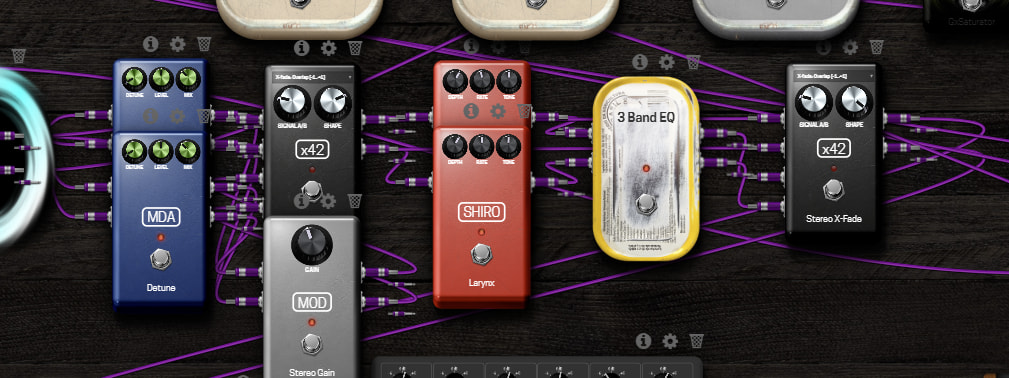


 Although it does make me wonder if covering the stereo case is enough. I don’t really tend to send more than two cables out of a plugin.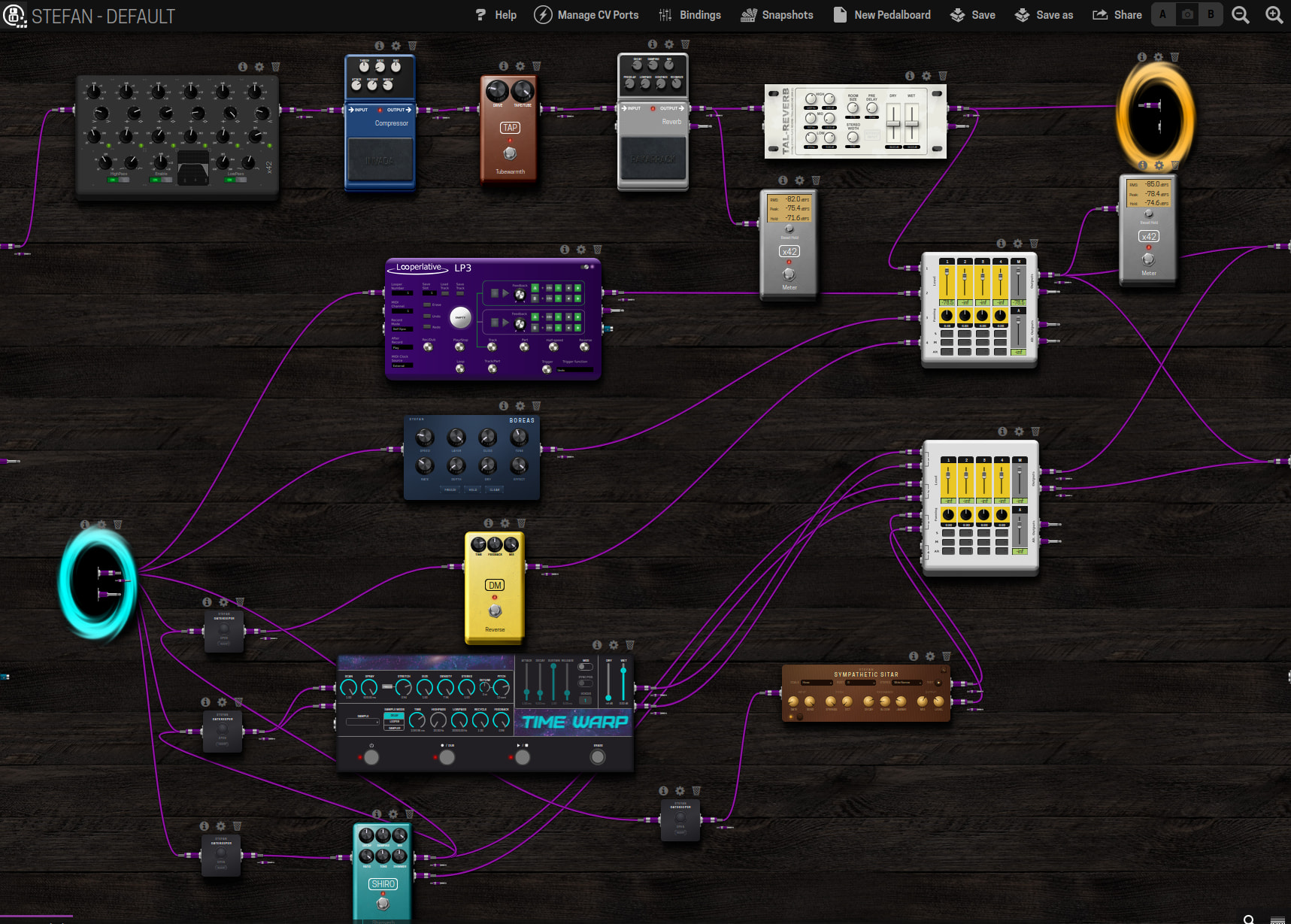
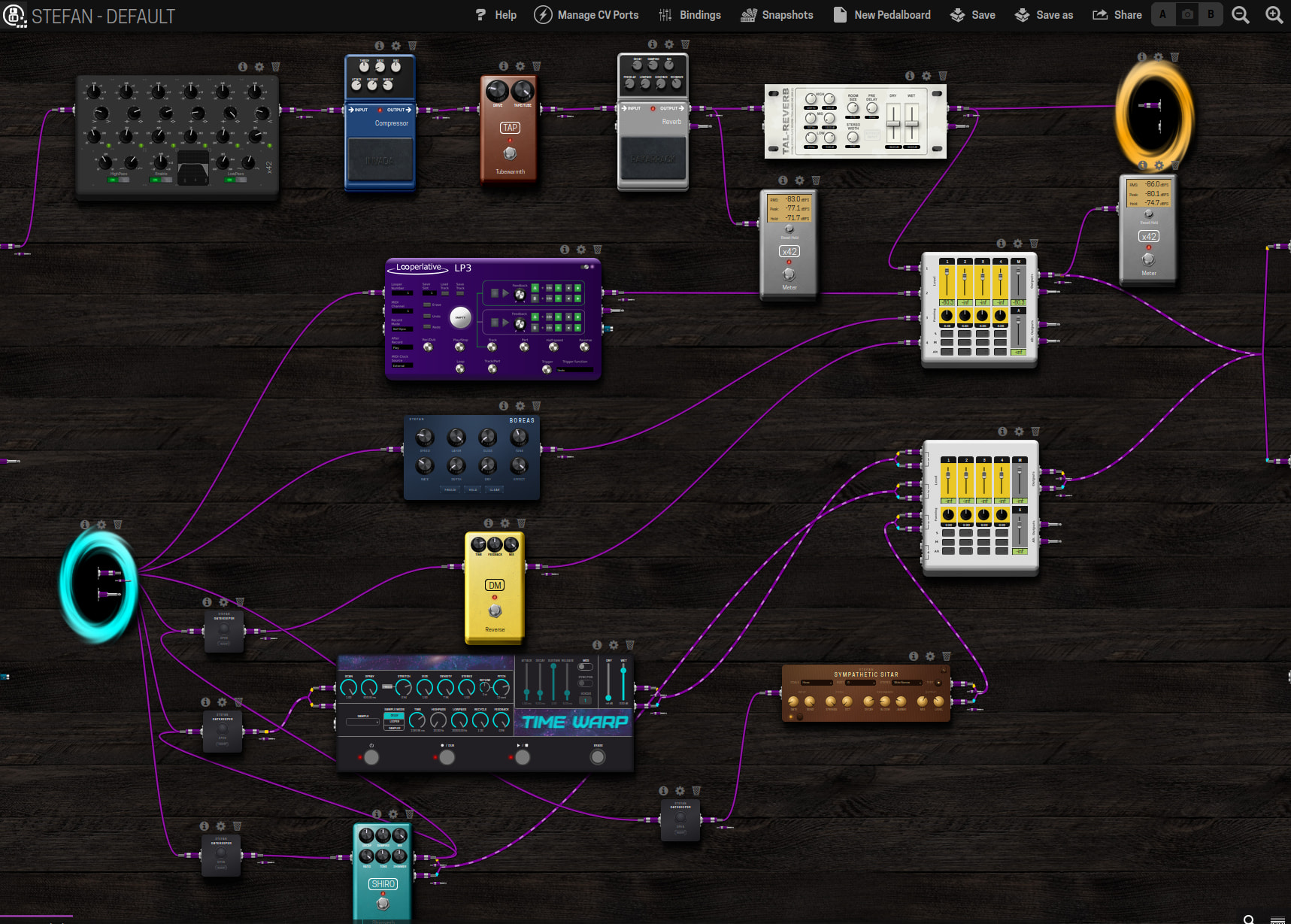


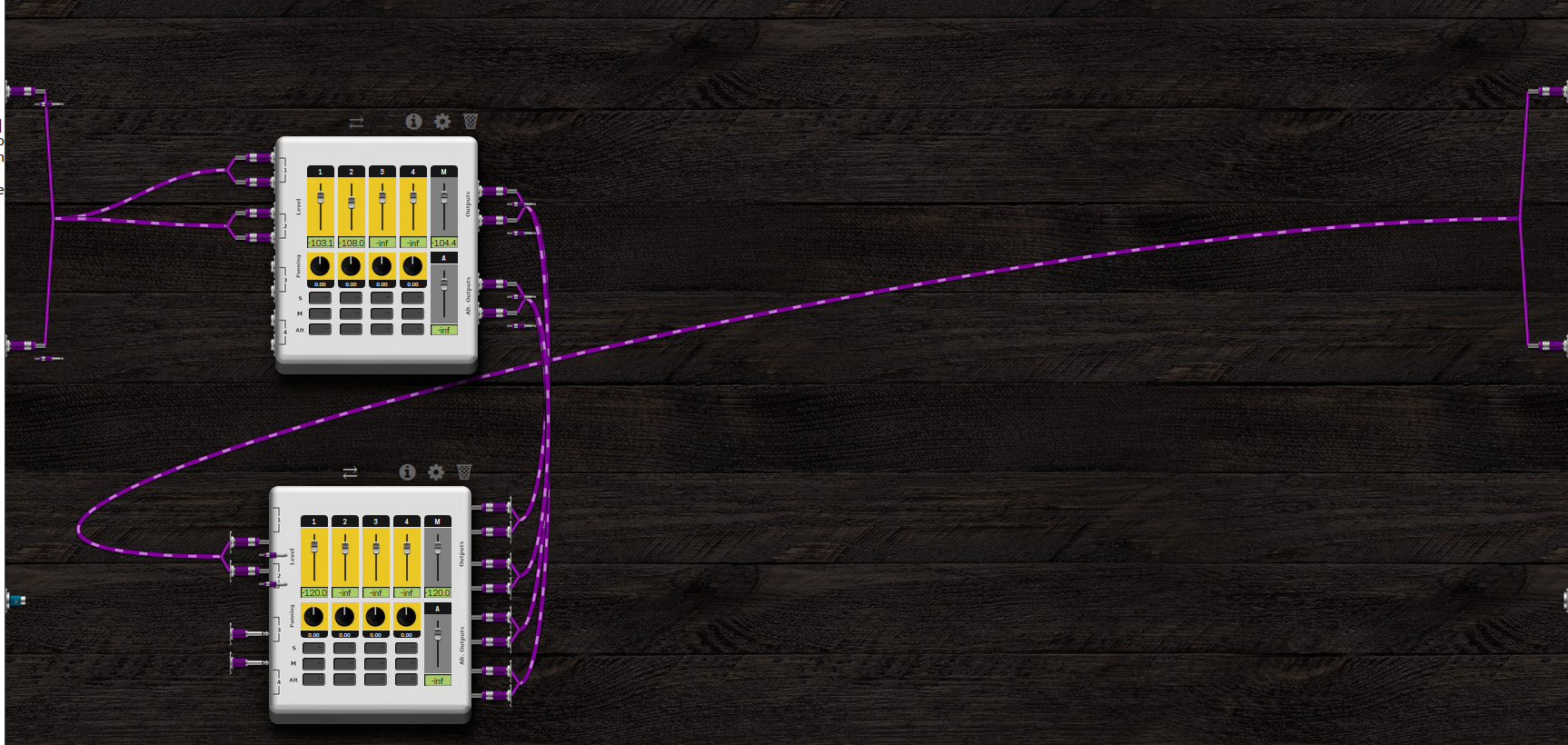
 it’s actually doable ahaha (although the jack graphics need some fixing it seems)