HMI widgets: let your LV2 plugin draw on the display of the MOD Dwarf and Duo X
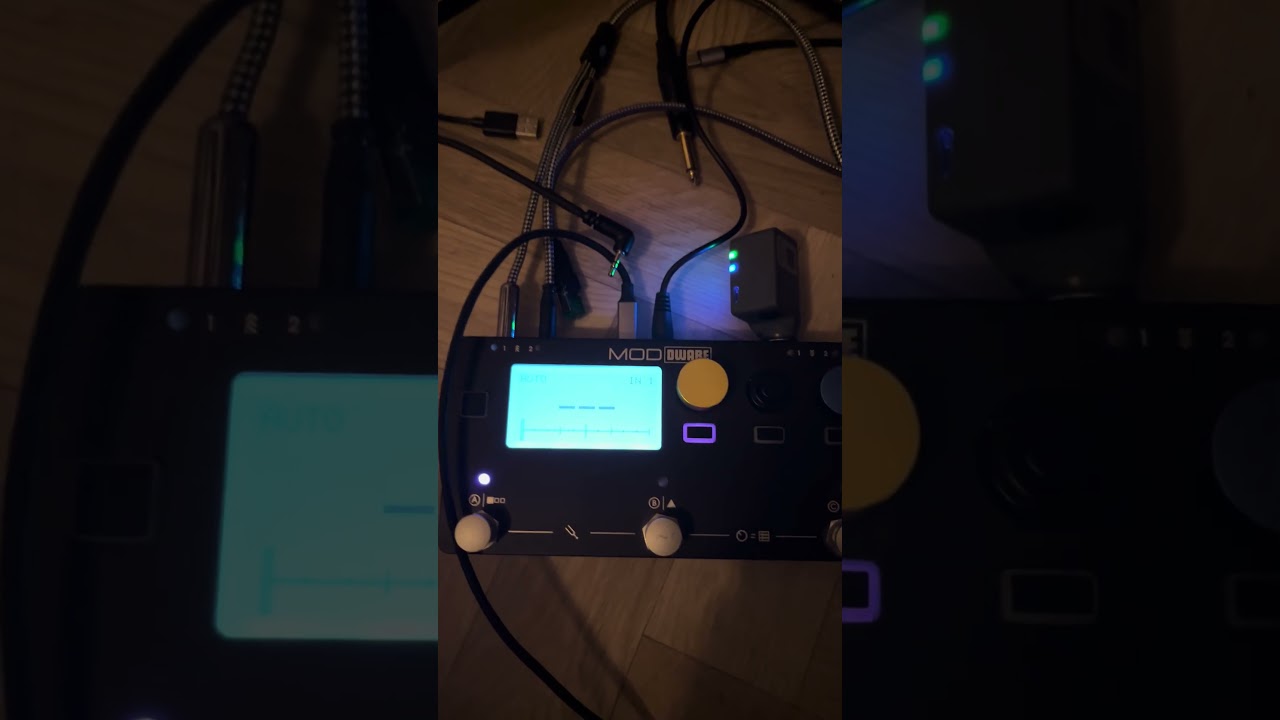
With Starless 19, plugins can draw on the display of the device. A level meter above a knob, the position of a looper above a footswitch, a tuner or a waveform on the whole screen: anything a label and a value can’t show.
This works through aLabs HMI widgets, a small open LV2 extension. If you write plugins, I’d love for you to try it.
How it works
- Your plugin declares one or more widgets in its TTL. For each one you give the smallest area it can draw in and the size it looks best at.
- The user decides where each widget goes, page by page, from the new Display dialog of the web interface. The knobs and footswitches keep working as usual: only what is drawn changes.
- While a widget is visible, the host calls
widget_shown()with a handle and the size of the area. You draw 1-bit bitmaps withdraw_bitmap(), and you can call it from any thread,run()included, because the host only queues the update. Thenwidget_hidden()tells you to stop. - A widget can suggest the ports it would like bound (
ahw:suggestedPorts). When the user places it, the host offers those bindings. - It stands on its own and doesn’t replace MOD’s
ns/hmiextension: a plugin can use both. On hosts without the extension, the plugin just works as usual and is never asked to draw.
ahw:widget [
    a ahw:Widget ;
    lv2:symbol "meter" ;
    lv2:name "Output meter" ;
    ahw:minWidth 16 ;
    ahw:minHeight 8 ;
    ahw:naturalWidth 40 ;
    ahw:naturalHeight 37 ;
    ahw:suggestedPorts ( "gain" ) ;
] .
Where it runs
- MOD Dwarf (128×64): areas above one, two or three knobs, the footers above the footswitches, or the full screen.
- MOD Duo X: on both displays. The areas cover one or more knobs, the endless knob band, the footers, or the full screen.
- MOD Duo: not yet.
The README has a table of the minimum sizes that make a widget fit on both the Dwarf and the Duo X.
Develop without a device: alabs-mod-desktop
You don’t need a MOD to write a widget. alabs-mod-desktop is MOD Desktop with an emulated MOD controller (Dwarf, Duo X or Duo) next to it. The emulator runs the real controller firmware of the device. You get the same displays, knobs and footswitches on your computer, connected to the same mod-ui and mod-host as on the device, so a widget you see there is what the device will show.
- Portable packages for Linux (x86_64), Windows (x86_64) and macOS (universal, 10.15 or later). Unpack and run, no installation. It runs apart from an installed MOD Desktop and keeps pedalboards and files in its own
data/folder. - Choose the device when you start it:
mhe-desktop.sh --device duox(or-Device duoxon Windows). The default is the Dwarf. - The example plugins
hmi-widget-meterandhmi-widget-draware already included: load one, open the Display dialog and place the widget. - Your own plugin goes in
data/like on MOD Desktop. Build, reload, see it on the emulated display, with no image to flash and no device to restart.
Repository: GitHub - sejerpz/mod-desktop: MOD Audio for the desktop with device emulators · GitHub (its README covers the packages and how to build them).
Get started
- Spec, C header and examples: GitHub - sejerpz/alabs-hmi-widgets: LV2 Extension for Mod HMI Widgets · GitHub
- The tutorial builds a gain plugin with an output meter, step by step: TUTORIAL.md
- Two example plugins are included:
hmi-widget-meterandhmi-widget-draw. - To try widgets without a device: alabs-mod-desktop, see above.
- The Starless 19 images: Releases · sejerpz/alabs-mod-custom-images · GitHub
- User guide: Display widgets
See it in action
Feedback welcome
The extension is experimental: the API and the TTL keys may still change. That’s why feedback from plugin developers matters now. Tell me what you’d like to draw, what’s missing, or what is awkward in the API, here or in the issues of the repo.
The extension is free to use, under a permissive ISC-style license.

