The help mode is activated by clicking the ? icon. Once active, clicking on any button or area within the MOD UI will bring up a small pop-up window with a quick tip about that specific feature.
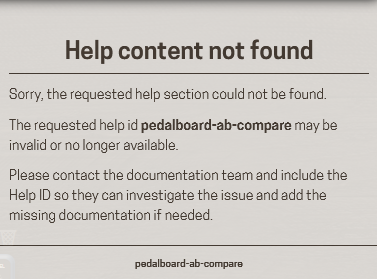
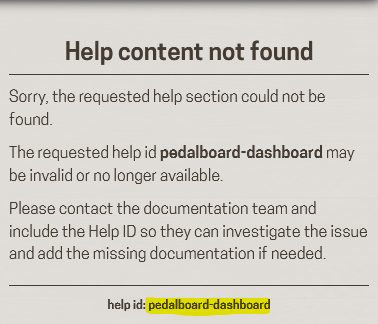
If a help file is missing: A fallback window displaying the element’s argument ID will be shown instead so that can be possible to write it.
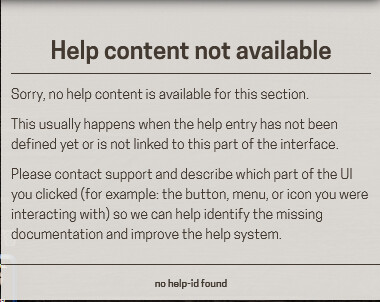
If an argument ID is missing: A different message will appear, prompting developers or contributors to add it.
Key Goals
Keep it simple: Simple to use, simple to implement.
Low maintenance: It shouldn’t create a heavy overhead for the core team.
Accessible contributing: The help content consists of simple files injected into the MOD UI, so anyone with minimal HTML skills can contribute. By separating this content into a Git submodule, dedicated technical writers can easily maintain and update the documentation without touching the main codebase.
I find this great! This is something that I argued on the platform before and now seeing it makes me really happy!
I could definitely help you with the text! Afterall I take care of the wiki. I believe some “More info” and linking to relevant wiki page/section is a must-have and that’s super easy for me to provide.
If my HTML skills are enough, I don’t know. But if something that I believe I am is a learner, then I doubt it will take me much to learn whatever may be needed to get it done.
As I wrote in my original post, I really feel that this should be part of the official MOD OS. I would even be happy if it were active by default on the first device usage or even until the user deactivates it. I feel that this would 1) help new users greatly climb the stiff learning curve that a MOD device can have; 2) save quite some time on my/MOD team side for support on fairly “simple” stuff.
“More info” links can be added as standard links, so no problem supporting that.
We could also explore using a JS Markdown library — that way you could write the docs in a syntax similar to what we already use here on the forum.
This isn’t entirely straightforward: when help mode is “active”, most buttons would need to be disabled to avoid conflicts. I need to think this through a bit more before committing to a solution.
Yes, my point was to try to keep the text as simple/short as possible, with a reference to a page with more info.
That sounds great. But if it’s too hard for you, no problem doing it another way. I would find a middle ground of “easiness” for both sides.
Also, here it’s important to note: although I may start it, it would be great to do it in a way that any community member could work on it. Eventually, a system where users could request/submit edits would be great. But maybe that should be a second stage.
To be honest with you, I’m not sure if that is something that you need to worry about. I would arguably say that such a feature/user experience thingy should be planned on our (MOD team) side. Simply, this “help view” that you are providing helps us on that, but at the same time can be used for other stuff by anyone “playing around” with these types of things on the MOD Dwarf. The first user experience was something that the team planned and talked (and there was at least one “re-talk” that I can think of) a while back. Even the way that you open the box of the device, how it looks inside, where the cables are and how they are folded was planned. As well as what it happens when you first turn on the device (the “A warm welcome” pedalboard, I guess, says it all). I would say that something like this should be put in that bucket.
No problem at all, at least on the technical side: there are plenty of Markdown rendering libraries available for JavaScript.
I agree. At the beginning, we can simply accept issues and PRs on GitHub — that’s already a good starting point.
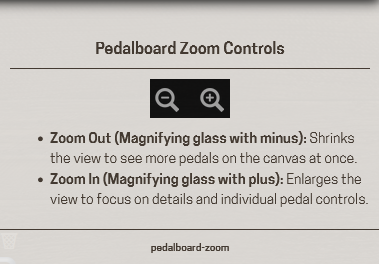
I updated my code using the marked.js library and it seems to work very well:
### Pedalboard Zoom Controls

- **Zoom Out (Magnifying glass with minus):** Shrinks the view to see more pedals on the canvas at once.
- **Zoom In (Magnifying glass with plus):** Enlarges the view to focus on details and individual pedal controls.
Javascript itself is also not so unfamiliar for me. Altough it’s really long time since I last used it.
I agree
On the developments, they look great!
I just have a question: Would it be of any help if you shared a kind of working build with me and I input some data for these texts and then send it back to you for final tweaking and release it as “your official”?
Awesome! I’m traveling this night on holidays and I’m doing my best to be holidays without a working laptop . So I will likely come back to this after June 6th. Sorry for cutting short now that you were building up on this effort (that I feel awesome).
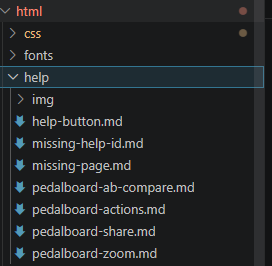
I did a first test by fetching via ssh the pedalboard-actions.md file and adding a link to the wiki for more info as I suggested before. This was simply a test if I would manage the working system.
All good on fetching the file and rewriting it. Yet, when I try to upload it back to the MOD Dwarf, I get a “Read-only file system” message. I’m really likely doing something super silly, but I tried all options with scp command (-rp, -r, ~, etc.) and nothing seems to make it. Do you have any idea what I’m doing wrong?
In the end of the day, this is not a big deal. With what I achieved, I’m already certain that I can create/edit help files. Therefore, I can simply provide them to you (either by sending them or uploading them to the git project) and you can eventually move them to the released image.
EDIT: I can also simply edit/create it directly with in git. What would be the best approach for you?
I’ve already prepared most of the help files. I just didn’t do the bindings because I feel that you are eventually more qualified to write it
There are, for now, a few requests on naming that I would like to ask you:
Replace “navigation-info” with “mode-selector”
Replace “pedalboard-dahsboard” with “pedalboard-constructor”
Replace “plugin-library” with “plugin-bar”
These are simply for coherence with other points of documentation, like the wiki.
There are a couple of other requests and “nice to have” that I would discuss with you, but for now I feel that everything is suitable to include in your next MOD OS release.
Mostly, those requests are:
add some other fields for documentation (I can think immediately about the button to access the WebGUI Settings that is somehow in the middle of the System info
Somehow create the possibility for this system to work in other WebGUI pages and not only in the Constructor
Somehow include hyperlinks instead of the full web links
Now onto the practicalities: how would you like me to provide you all these materials? Simply upload it here and overwrite what’s there? I know that, as it is github you won’t lose the version that is there, but if you prefer that I send you the files in some other way, just let me know.
EDIT: just some feedback: in my system (I’m using Chrome on MacOS) the Esc to exit the Help mode doesn’t seem to work
Ok, no problem. Don’t hesitate to ask for these kinds of changes; it’s always better to make them early.
This can be added right away.
It’s already on my roadmap. I have a couple of ideas, ranging from simple solutions to more advanced ones.
What do you mean exactly? I’m not sure I understand.
I think the best approach would be to keep the help content in a separate Git repository (eg. mod-ui-help) and include it in mod-ui as a submodule.
I’ll arrange that, meanwhile can you open a issue on my mod-ui fork and upload the files there?
I’m kind of wondering which would be the best way.
Open to discussion, but maybe the CPU and RAM meters should be something like “Resources Meters”, the WebGUI Settings button simply “WebGUI Settings” and the Control Chain and MOD OS version icons, eventually the “System Info” (?) Although the text that I wrote would be for the “Resources Meters”. What do you think?
That sounds cool if you need brainstorming help, feel free to share them.
Deal! I’ve already uploaded them. Let me know once you have a new version and the system is ready for those extra files in the system info section (by the way, we can see the full bar, including Transport, and the Status Bar).
And now suddenly I remember that I forgot one thing, what you call “audio-info”, which in fact is the “MIDI ports”. Maybe I can provide you with that, together with the other new ones.
I just found the time to test it and in fact that works, so I will fix all the files.
Yet, this research made me find a bug in the system. Before, I didn’t really try to click on the link. As it was appearing as a hyperlink, I assumed that all was fine. Yet, now I found out that when you click on the link, the system just assumes that you clicked on whatever is below and shows you the help info on that. In order to open the link, you should right-click on it. I did a little video to help understand:
Ideally, this should open a new tab on your browser with the page link.
I’m working again on this, I added some more help ids as you requested, I modified the ones which were different from the wiki style and I notice some missing helps:
audio-info: just click on the frame info in the constructor
midi-info: the midi icon in the bottom
mod-settings-info: the setting icon in the bottom - right
mod-devices-info: the CC icon bottom - right
mod-status-info: also bottom - right
I also added a pedalboard-logo.md to try to explain what starless is.
Everything is pushed on the wip/quick_help branch.
Bye
Edit: I also noticed that the global binding dialog is missing
Great news! I will try to get you the files asap (likely during next week).
Do you happen to have a MOD OS Starless build with these new “help points”? So after creating the files, I can quickly try to check them in a “real-world situation”.
Not a must-have, but it would be nice to have I will anyway move forward with or without it.

 . So I will likely come back to this after June 6th. Sorry for cutting short now that you were building up on this effort (that I feel awesome).