Hi all! So I have a lot of noise coming out of my Dwarf on my favorite pedalboard, it’s a high frequency constant pitch noise which sometimes stutters a bit. Unfortunately I want to play with very low dynamics on a bass clarinet so I don’t consider the noise gates as an option, they cut out a lot of my soft playing.
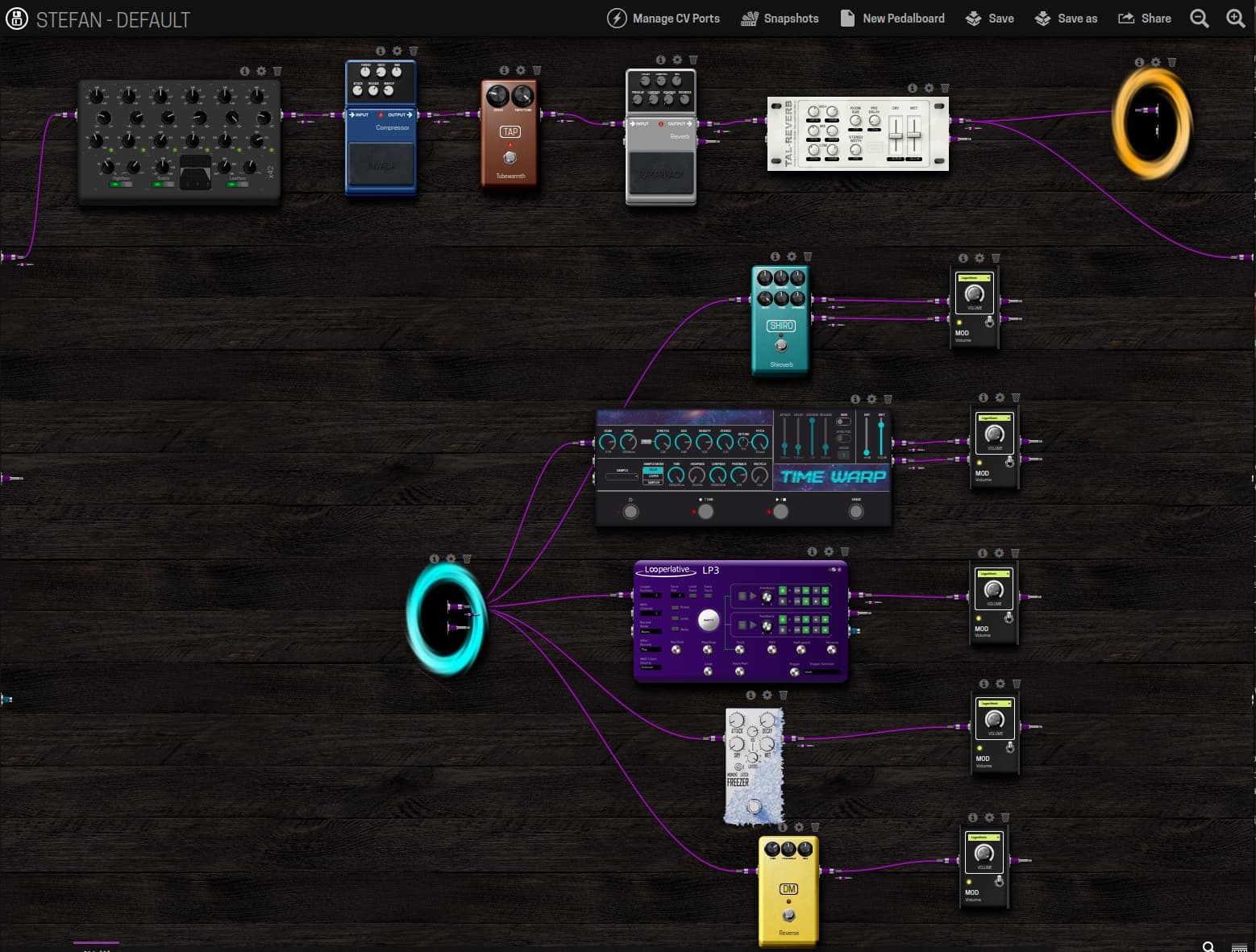
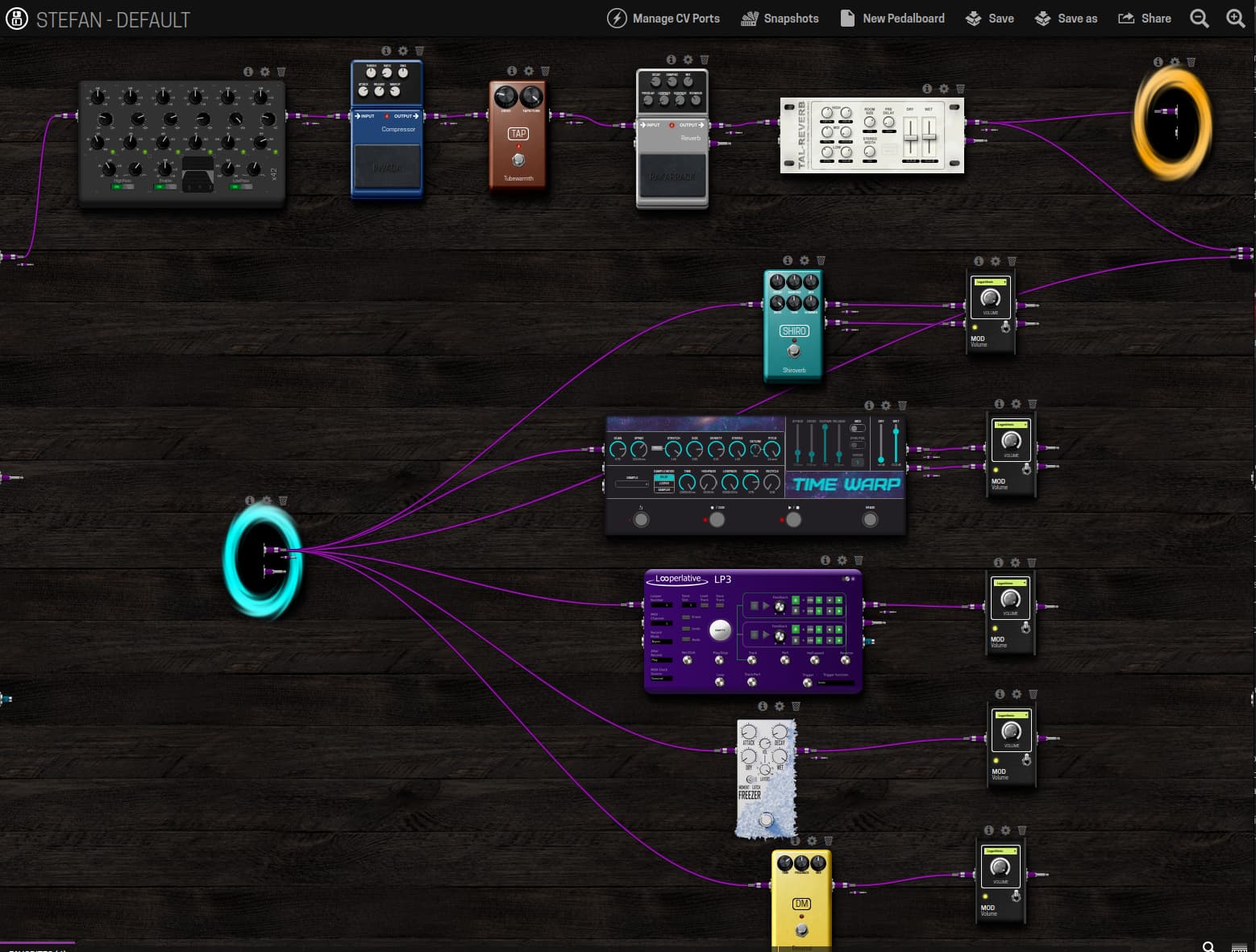
This is my pedal: StefanNoise - MOD Audio
I have recorded the noise as well with as close to absolute silence in my room as possible, if you increase a bit the volume on your speakers you will hear it.
This lead me down a rabbit hole trying to figure out the cause. For testing I am using ATH-M30x headphones plugged directly into the Dwarf and I have plugged a SM57 as input through a Zoom MAA-1 Mic Amp. I set the Input Gain on the device to 9dB to reach a max yellow/orange color when I shout into the mic.
Ruling out the noise causes:
First that came up was noise from the power supply / network. I bought an Anker 25000mAh 165W powerbank and powered the Dwarf with that and a 12V USB PD Voltage Converter. Same noise, so this rules out the power supply / ground loops as a potential cause.
Next I tried unplugging the mic and the pedal still produces noise from an empty input
Next I tried to load up the default pedalboard, so just plain connecting the input to the output with a stereo gain. No noise! So the issue has to be the plugins which I’m using.
What is surprising to me is that the noise doesn’t really register on a level meter. I turned the mic amp all the way up on the empty pedalboard and it outputs around -70dBFS to -16dBFS and zero noise.
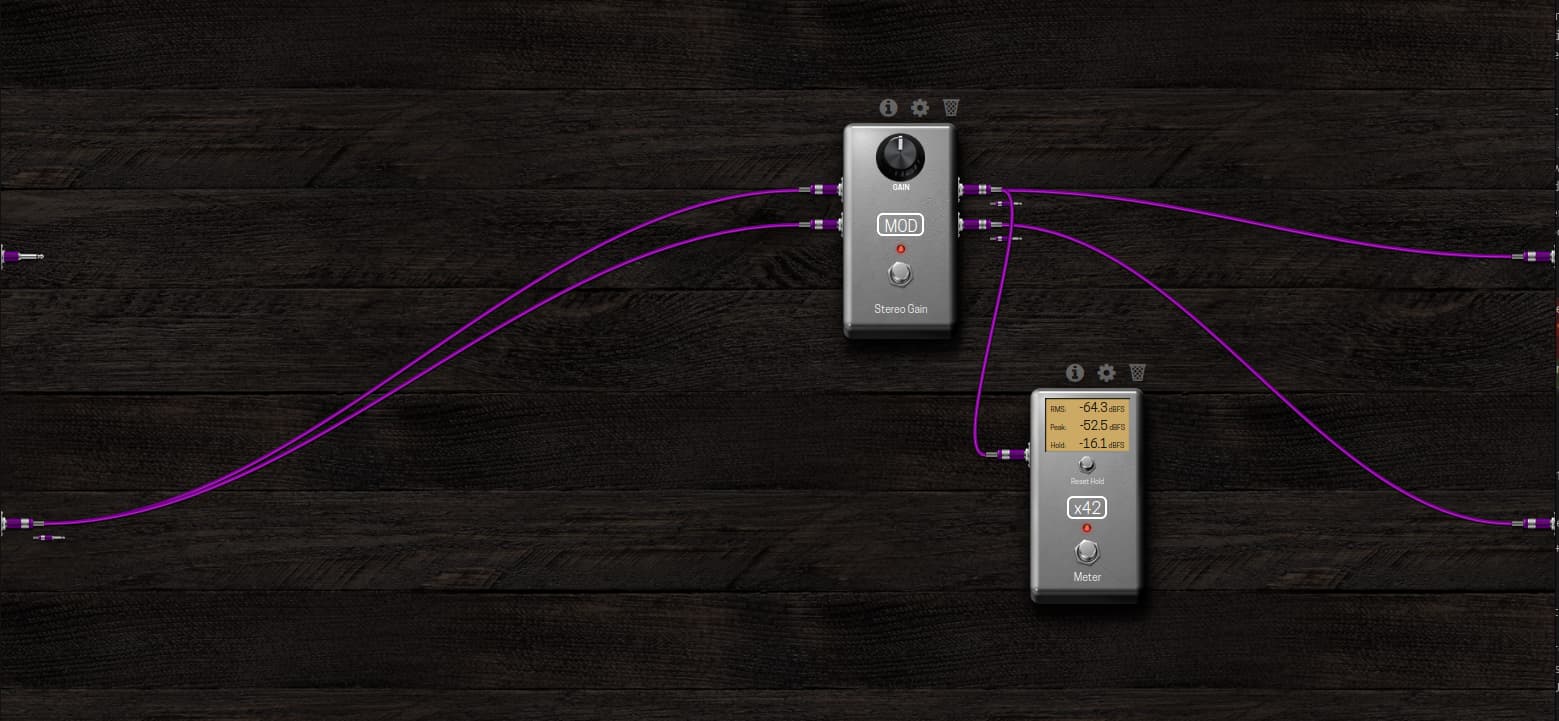
When I loaded my noisy pedalboard it showed same levels as the empty pedalboard at rest but full noise.
So it doesn’t seem to be a pure gain staging issue either, unless I am amplifying specific noise frequencies.
I tried something weirder, I unplugged all cables from the outputs and connected the input straight to the output and nothing else. Now I have some barely audible noise, muuuuuuch lower but not the silence I had in the empty pedalboard
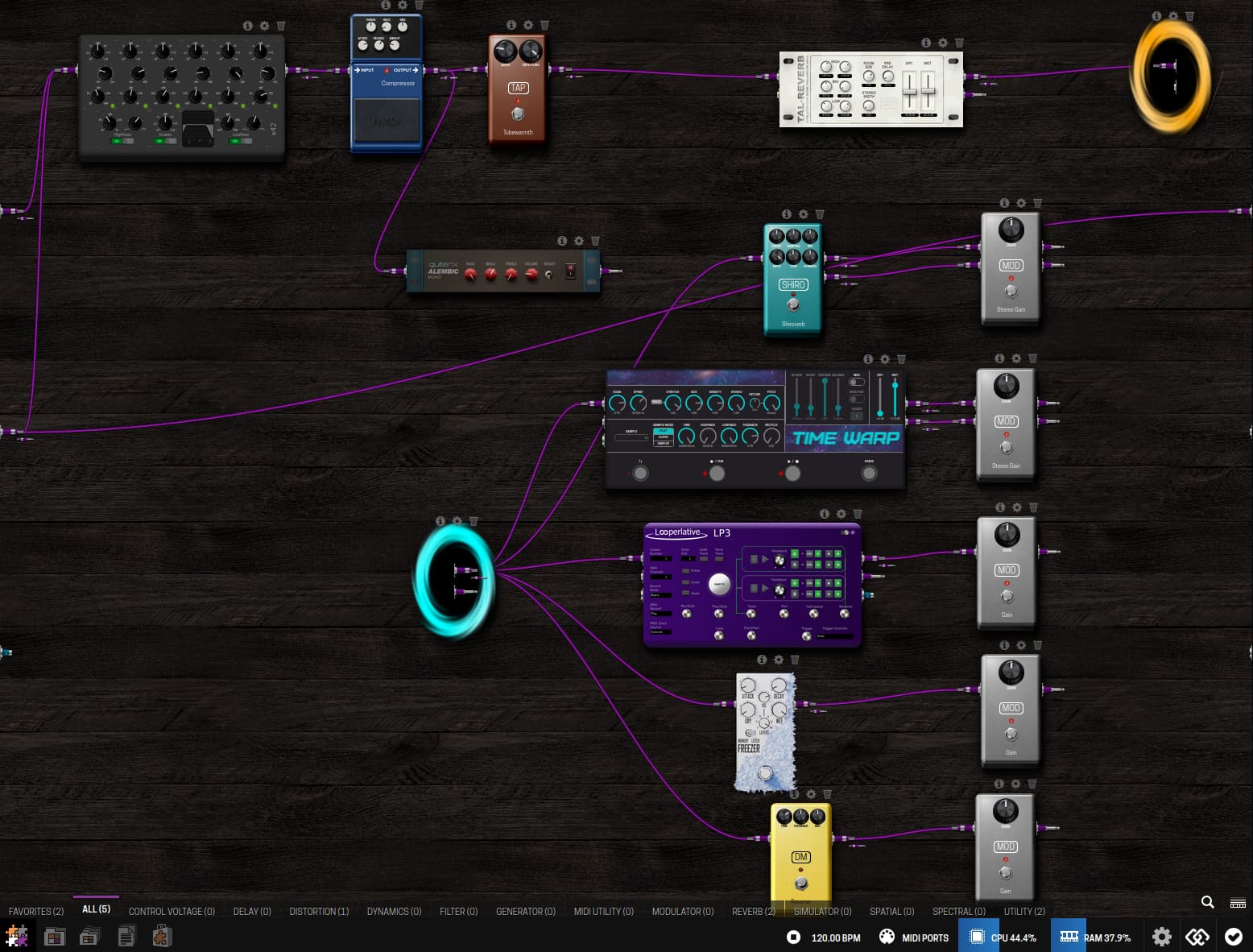
So from this I have to conclude that the CPU usage is increasing my noise floor? Which then gets amplified by the plugins? The first jump in noise I notice if I connect from the compressor straight to the output. And the noise gets amplified by the rKr Reverb a lot more even when I turn it off. Just passing through it generates noise.
Unplugging all the outputs from the Looperlative LP3, Shiroverb, Timewarp and Reverse reduced the noise volume but the noise is still very audibly there.
Do you have any suggestions on what I can do to fix this? I tried adding a EQ right before the portal and doing a scan over different frequencies zeroing out their volume but it seems like it’s not a single frequency.