Hey thanks for clarifying 
When you say
Such as delay or reverb ?
Hey thanks for clarifying
When you say
Such as delay or reverb ?
Exactly. I put an example above.
Perfect !
Thanks 
But if you don’t have a direct connection bypassing the portal - for example as it is in the board of @Carlos_Galvez - then the added latency will also affect the plugins that are before the portal, right?
You’re right. If the signal that goes through the Portal has no parallel direct path to the output, it will be affected by extra latency. If it has a parallel path, the same signal is sent to 2 places :
If you want to keep a very low latency, this parallel kind of use is interesting but it’s limited by 2 factors regarding the plugins that come after the Portal :
To be honest, We play a genre of music that is quite fast and I haven’t noticed the latency (and I don’t even use a parallel non-portal signal)
This quick explanation should be added to the plugin description
How to instal this plugin? I cannot find it on plugin store. Can you help me please?
Hi,
The plugins are still beta. You must enable the display of beta plugins in the store to be able to see them.
Hello, all Portal users!
Portal was the most voted (and I guess it’s the most used) plugin from the Beta store.
Therefore, let’s try to join this great community to put together all the user experiences with it, create documentation and other materials so non-users of the plugin can better understand it and therefore use it.
My notes on the plugin(s) are:
On device testing:
I believe the Portal plugins have been extensively tested in the MOD Dwarf. Yet, I believe some more testing on the MOD Duo X could be reported and on the MOD Duo as well. On the MOD Duo, I’m not sure if many users have tried it out. If someone uses it on the MOD Duo, it would be great if you could report your experience to us.
Documentation:
Although the plugin already has some documentation, a pdf format that can be used for a “See documentation” button would be great. It’s ok and even useful to add video links on the pdf to help better understand a point (in case someone finds it easier with visual examples).
Also, I feel the documentation is a bit confusing. When I first started reading the plugin info for the Portal (where some documentation is), I found it a bit confusing and misleading since it sounded to me as if the Portal was simply a plugin to declutter the “cable spaghetti” on the MOD WebGUI Constructor, when in fact it is much more than that.
Would someone be up to put all the information together, organize it and simplify it and share it all in a pdf file?
Here’s my humble addition that should make it easy to grasp withing seconds for simple laymen like me, while digging deeper in the specifics when reading on…without getting too technical.
General advice to all btw:
Remember that these texts are made to:
@jon feel free to use this as you wish. I’d gladly read the final result for new input. I will defend the "foolproof" and “what’s in it for me” for the user when it comes to it 
I’ve written this in a Google doc I can easily share.
Less CPU usage, more plugins!
When used correctly, it will significantly reduce the CPU percentage used for long and heavy signal chains. You will be able to place more/heavier plugins on the same pedalboard before you max out the CPU usage. Expect a drop of 30 to 40% CPU usagee on your typical chains using the Portal plugin..
The Portal plugin allows your MOD device to split a single, heavy audio processing chain across multiple CPU cores, allowing more load before maxing out, for the small price of 1 added audio cycle: a latency of 2.6ms. This latency is in many cases unnoticeable or negligible.
In practice, this plugin only works if you use BOTH its components of the portal:
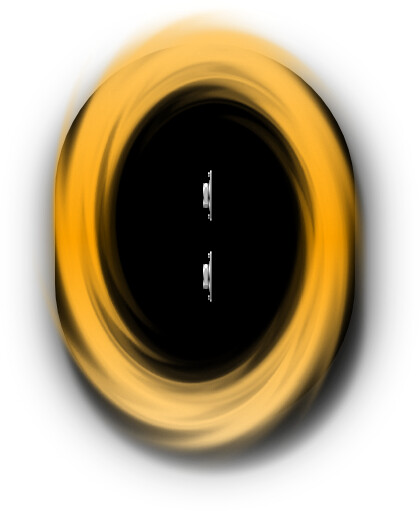
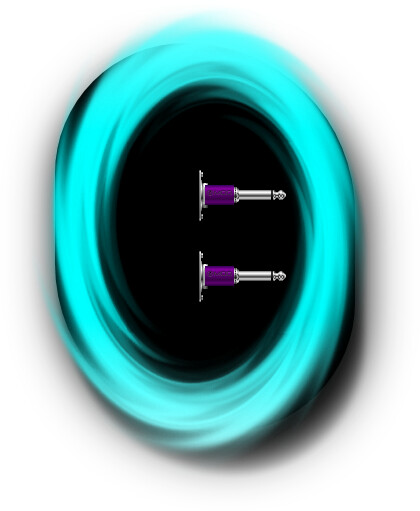
the entry point: the “Sink” (yellow) The exit: the Source (blue)You need to add both these plugins to your pedalboard. They appear as 2 separate plugins in the plugin list but you require both to make them work.
In practice, pedals are usually divided in 2 areas with the portal as split between the two.
These best practices are a general recommendation but results may vary, depending on your specific pedalboard. Use it as a boiler plate and experiment with placing from there.
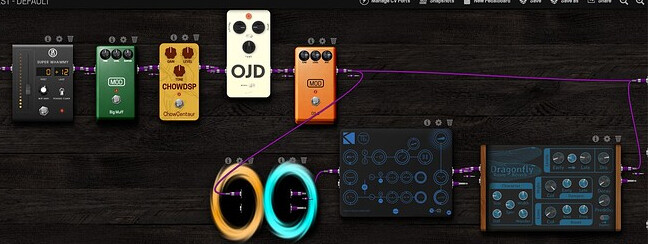
Example board
Notice how some overdrive and distortions are places before the Sink (yellow) and the time based effects come after the Source (blue).
Plugins best placed BEFORE the Portal:
Plugins best placed AFTER the Portal:
Never split a signal, send one half through the Portal, and mix it back together with the un-Portaled signal. In other words, create loops before or after the Portal but never bridge over from the “before” side to the “after” side of the portal or vice versa.
Because the Portal adds a 2.6ms delay, mixing it directly back with the “instant” dry signal will often cause comb-filtering and phasing (a hollow, swooshing sound that ruins your tone).
If you want to mix dry and wet signals, do it before the Portal. Send the 100% wet signal through the Portal to your reverbs/delays, and route both chains entirely separately to the final physical outputs of the MOD device.
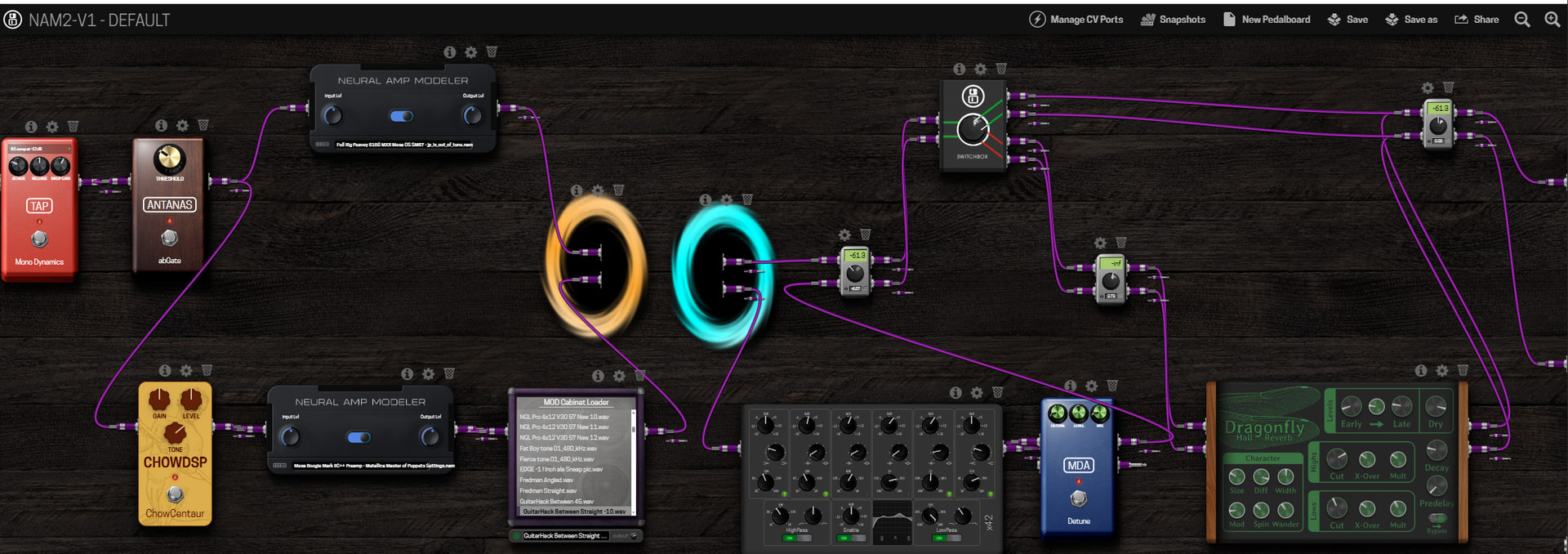
Example setup
This example splits 1 guitar signal into parallel paths with a different amp sim on each path. In the end, 2 different flavours of the same guitar end up in the outputs. Notice that the signal gets split and merged several times before and after the Portal but never bridges it to make a blend of a “portaled” and an “unportaled” connection. Note: This particular example uses an IR loader before the portal but the user chose to do this to keep the simulators and “time based” sections divided by the Portal. This isn’t a functional rule, you still are free to place and use the Portal as you see fit.
The flexibility of the MOD devices allows elaborate and large pedalboards. The success of this guide may vary, based on your specific pedalboard. If the results disappoint, try shifting the placement to the left or right in your chain but keep the phasing advice in mind
By default, plugins process audio in a series, like an assembly line, using only one CPU core.
Example: If you have four plugins, each plugin has to wait for the one before it. If one of those plugins requires a lot of processing power, the whole assembly line gets delayed.
By placing the portal in your chain, you force the audio path to split into two parallel paths. This allows the second half of your pedalboard to run on an entirely separate CPU core, effectively doubling the processing headroom for that specific chain. This process costs exactly 1 audio cycle of latency (about 2.6ms at a standard 128 buffer size).
So what visually happens in the the pedalboard is slightly different than what happens in the background but this is done to keep the interface uncluttered with complex routing visualisation.
The Portal has a big obvious upside: creating more free processing power. This comes with the cost of an added latency, which when used properly, is barely or not noticeable.
CPU Relief: By spreading the load across multiple cores, you can drastically reduce your main CPU load.
Allows for bigger pedalboards: You can now build massive chains with multiple heavy plugins that would normally crash a single-core setup.
Host-Level Control: Because it is handled via a plugin rather than an automated background process, you retain manual control over where the audio routes and splits.
Introduces Latency: The “teleportation” process costs exactly 1 audio cycle of latency. That means a latency of 2.6ms at a standard 128 buffer size.
Risk of Phasing Issues: Because of that added 2.6ms delay, if you split a signal using Portal and then try to merge it back together with the original dry signal later, the slight time difference can cause unpleasant comb-filtering or phasing.
Strict Limit: You can only load one Sink and one Source per pedalboard. You cannot create endless parallel setups.
Manual Setup Required: The system doesn’t automatically know which plugins are hogging your CPU. You have to figure out where the bottleneck is and manually place the Portal plugins in the smartest location in your chain.
Where’s the Like*100 button?
Your points to remember, “convince users..what’s in it for me” and “simplified models”, are spot on. I have to convince people of similar principles almost daily at work.
Great explanation of the Portals!
That’s 100% my perspective on it. Share, we can have a manual with some chapter(s) that gets more in deep on the technical side of things. But the first and more important focus (imo) is exactly the “what’s in for me” and “why I should bother with this”
I love it right here
I’m not sure if this is exactly true. As far as I understood before, you can add as many pairs as CPU cores on your device. Meaning, for example, on the MOD Dwarf 4 pairs. Can some one shed some (technical) light on this? @falkTX ?
Anyway, this is really great @LievenDV and thanks a lot for taking my challenge and creating this.
I would be great if you could share it. Publicly even better so some other forum members could at leat comment with their questions and suggestions.
Personally I think we may need some little polishing (maybe we can get some AI buddy to help us on that), a pdf file of it and eventually we could submit it to be added to the plugin folder.
Everybody can now provide comments on the document:
@jon if you have a Google account, I’ll give you author rights.
Check @falkTX 's documentation, almost at the bottom
“Note that only load 1 sink and 1 source can be loaded at a time.”
Great!
I just made a request.
True. Now the question is if that there is also 100% accurate - and therefore I’m wrong - or something is misleading. I will double check with @falkTX
Hey @LievenDV, I got in touch with @falkTX to clarify this. I was wrong and you were right! You should just use a pair of Portals per pedalboard. Therefore, your documentation is 100% correct.
I’m wondering now which should be the next steps here. It would be nice if we could somehow “pass the text” through some AI to help us clear up some things and check if we can improve something related to structure (eventually also content, but on that, I think it’s pretty good). What do you say about that?
I should, in the next few days, take a new and clean read on your document.