Hi everyone!
I’d like to share Hept7 Switch, a new utility plugin for the MOD platform. It is the bigger sibling of Tetr4 Switch: it has 7 presets. And for each presets, you can choose which of 8 CV outputs are on or off.
What is it for? Hept7 Switch lets you change a whole scene of your pedalboard with a single footswitch press. Think of each CV output as a “loop”: a plugin, or a group of plugins, that always turn on and off together (for example, drive + delay). Each of the 7 presets is a combination of those loops. Route the outputs to the on/off parameter of your plugins (through MOD’s CV addressing), and pressing a footswitch switches from a clean sound to a lead sound, or from the verse to the chorus, without you having to step on several pedals or fiddle with the screen. The plugin has no audio: it only sends control signals. Plugins that are always on, like your amp and cab, don’t need an assignment.
If you are wondering why I made a new plugin instead of evolving Tetr4 Switch: I had to change how the parameters are mapped and how they behave. Applying those changes to Tetr4 Switch would break things for people who already use it. And since it has just entered the official store, such a drastic change would not be appropriate. So I decided to preserve its legacy and add a new member to the family.
I think Hept7 Switch is the definitive version of the switches, so I expect people will gradually move from Tetr4 to Hept7.
New features
I’d like to highlight a few of the new features.
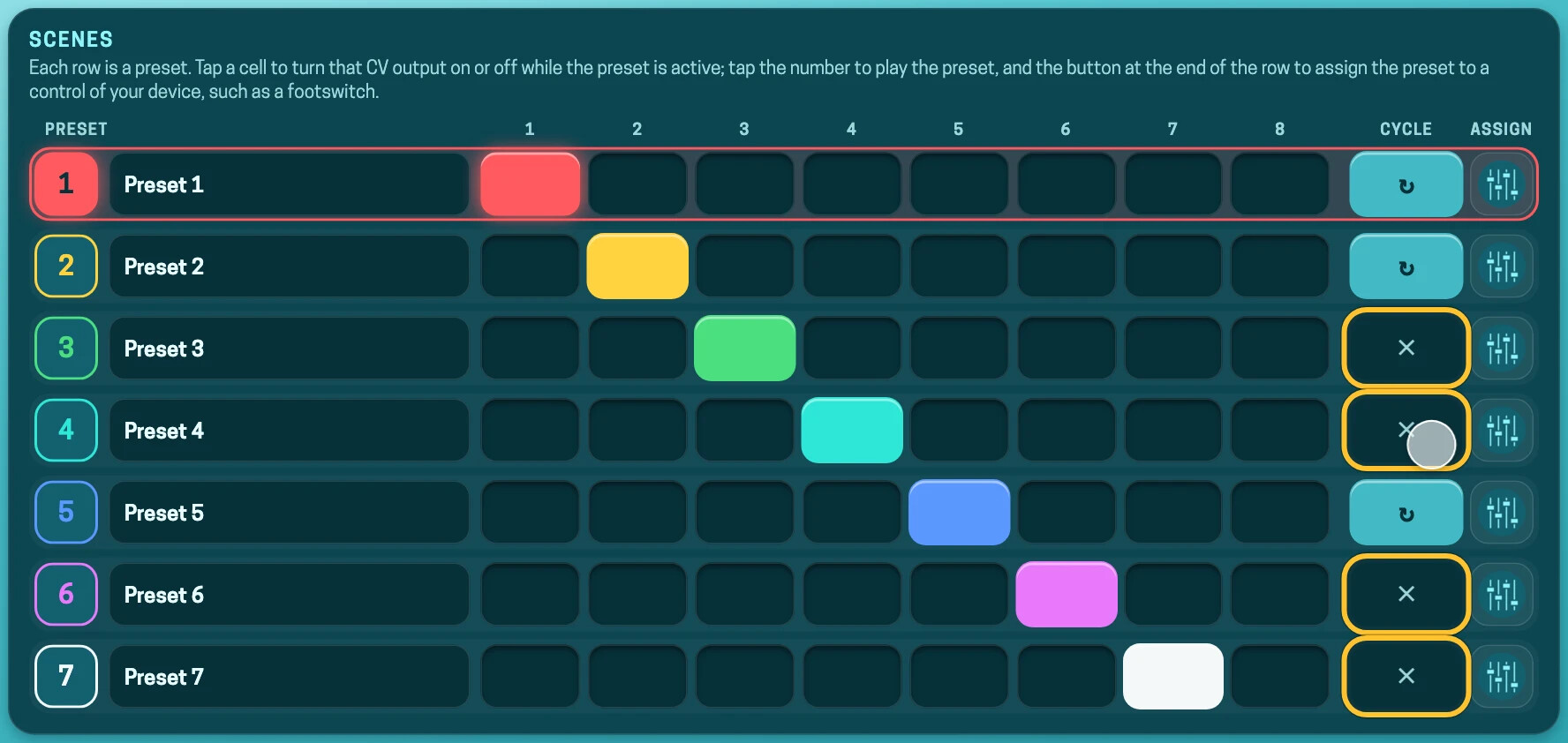
Settings page
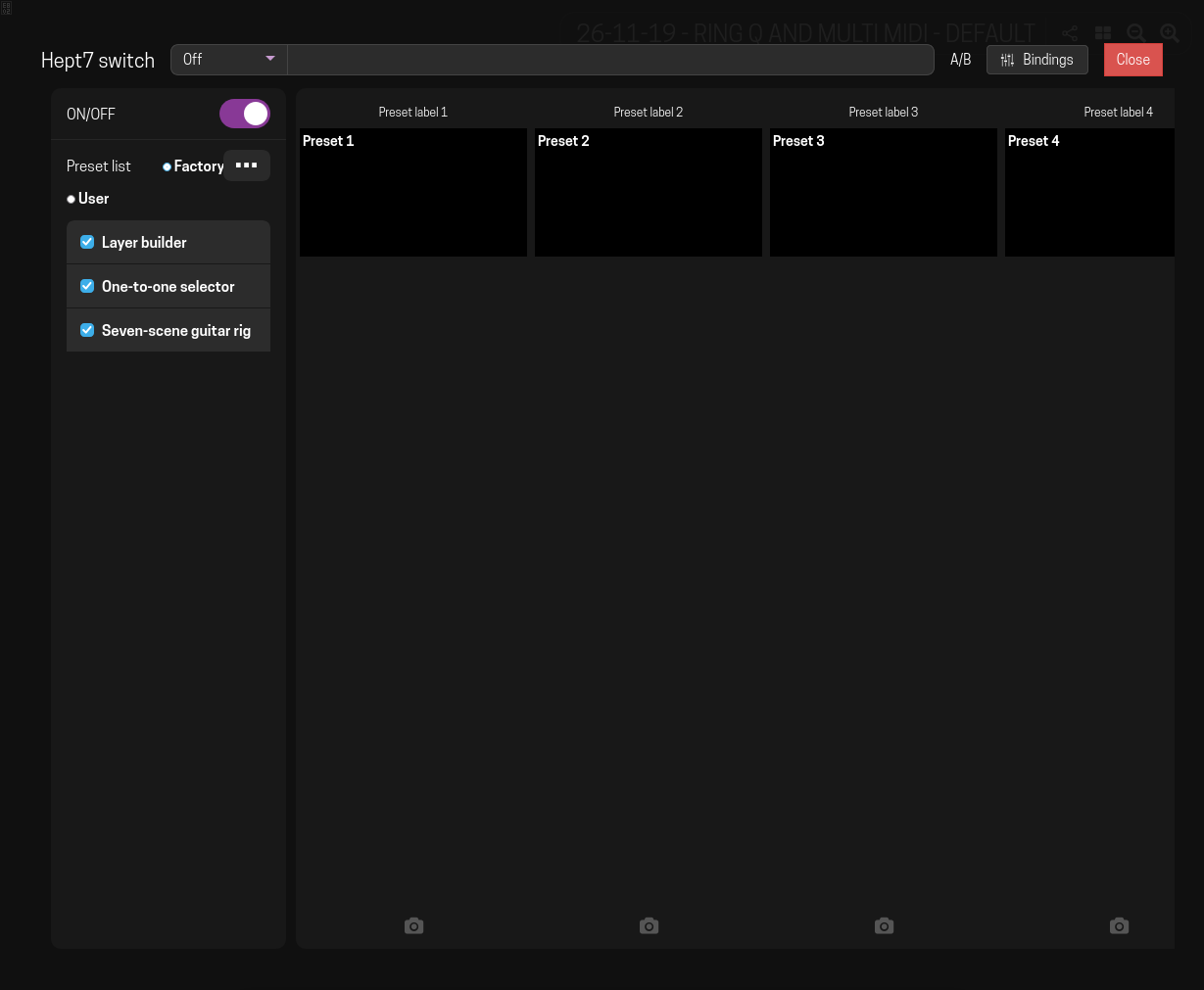
This plugin has almost 100 ports! The default settings screen would be very confusing, even with port groups.
So this plugin has its own settings page. I tried to follow these principles:
- Responsive: it works well from phones to desktop computers, and also in Performance Mode.
- Paginated: whatever doesn’t fit on one screen goes to the next page.
- No vertical scrolling: only horizontal navigation, through pages.
- Touch-friendly: bigger buttons for people who use touch-sensitive devices. I must admit I haven’t tested it on a phone yet, so feedback is welcome.
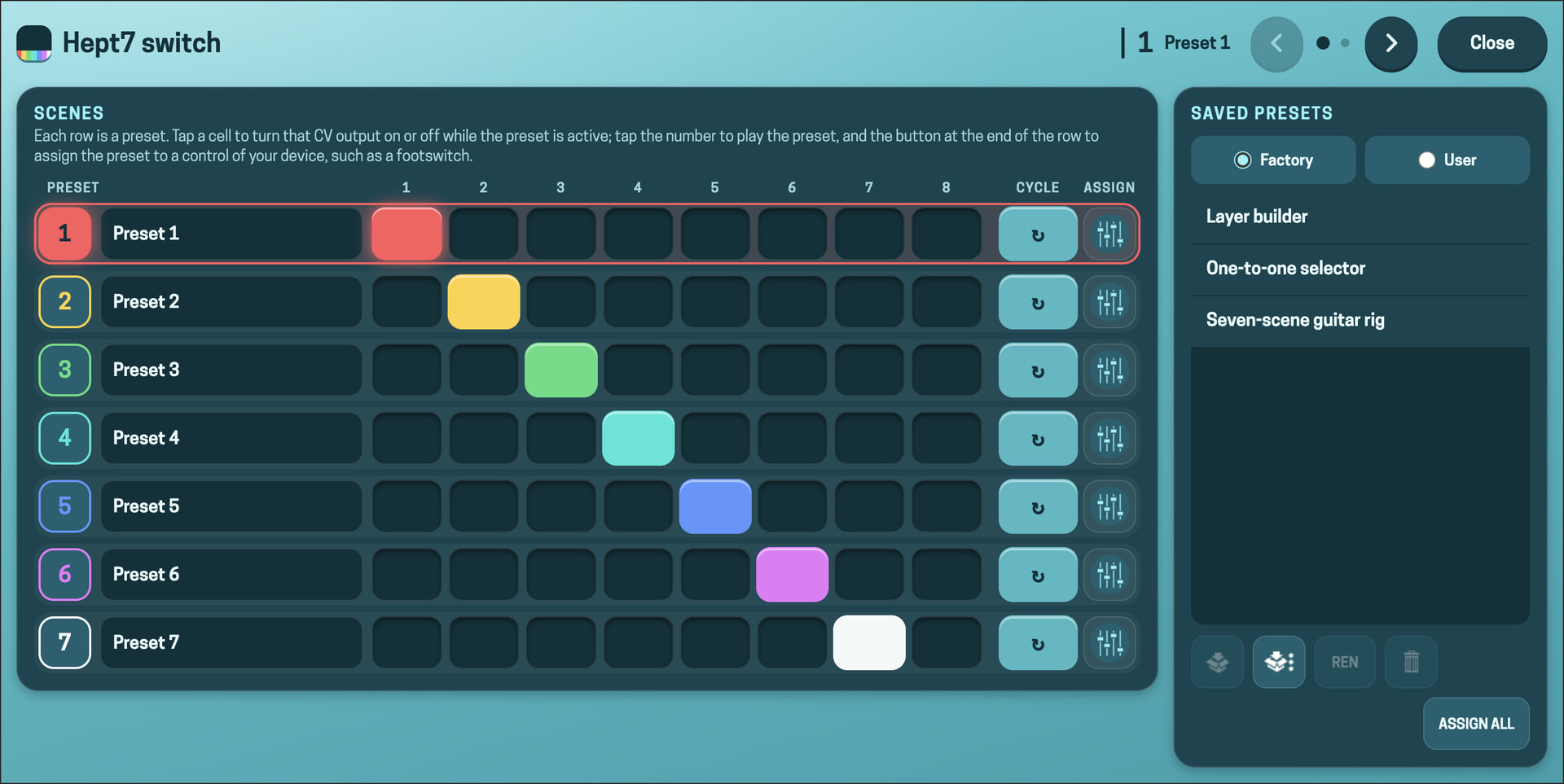
I know there are UX and cognitive-load concerns (more things to learn), so it may be worth opening a separate topic about it.
Current preset
You can assign a footswitch to step through the 7 presets. It works as a cycle: from the last preset, pressing the button goes back to the first.
This already existed in Tetr4 Switch, but I implemented it differently in Hept7, because I found that MOD’s official HMI Widgets did not work the way I expected.
Because of this change, you can no longer assign this footswitch to B&C. There is a new feature for that:
Previous preset and Next preset
You now have two separate assignments, one to go to the previous preset and one to go to the next. This gives you more freedom when using MIDI controllers, if needed.
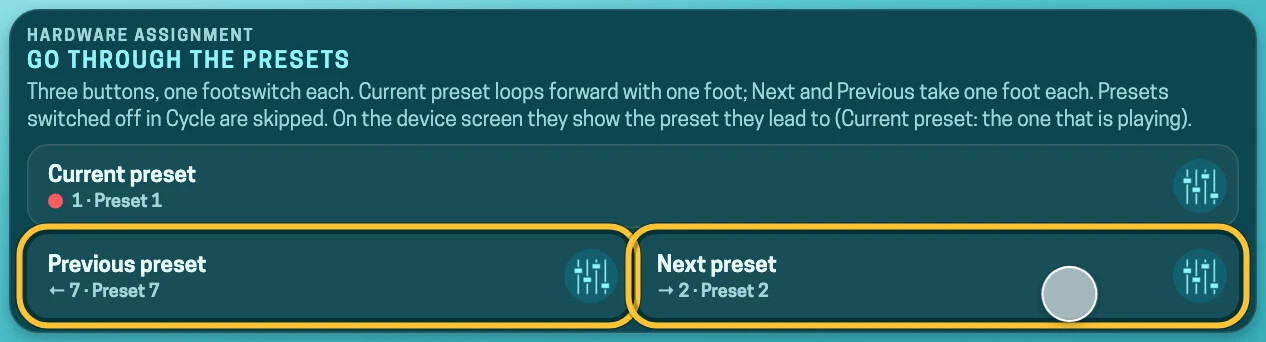
Option to skip presets in the cycle
If you use the Current preset, Previous preset and Next preset assignments and don’t want to use all 7 presets, the settings page lets you mark the unwanted presets as “out of the cycle”. They are then skipped when you use Current preset, Previous preset or Next preset.
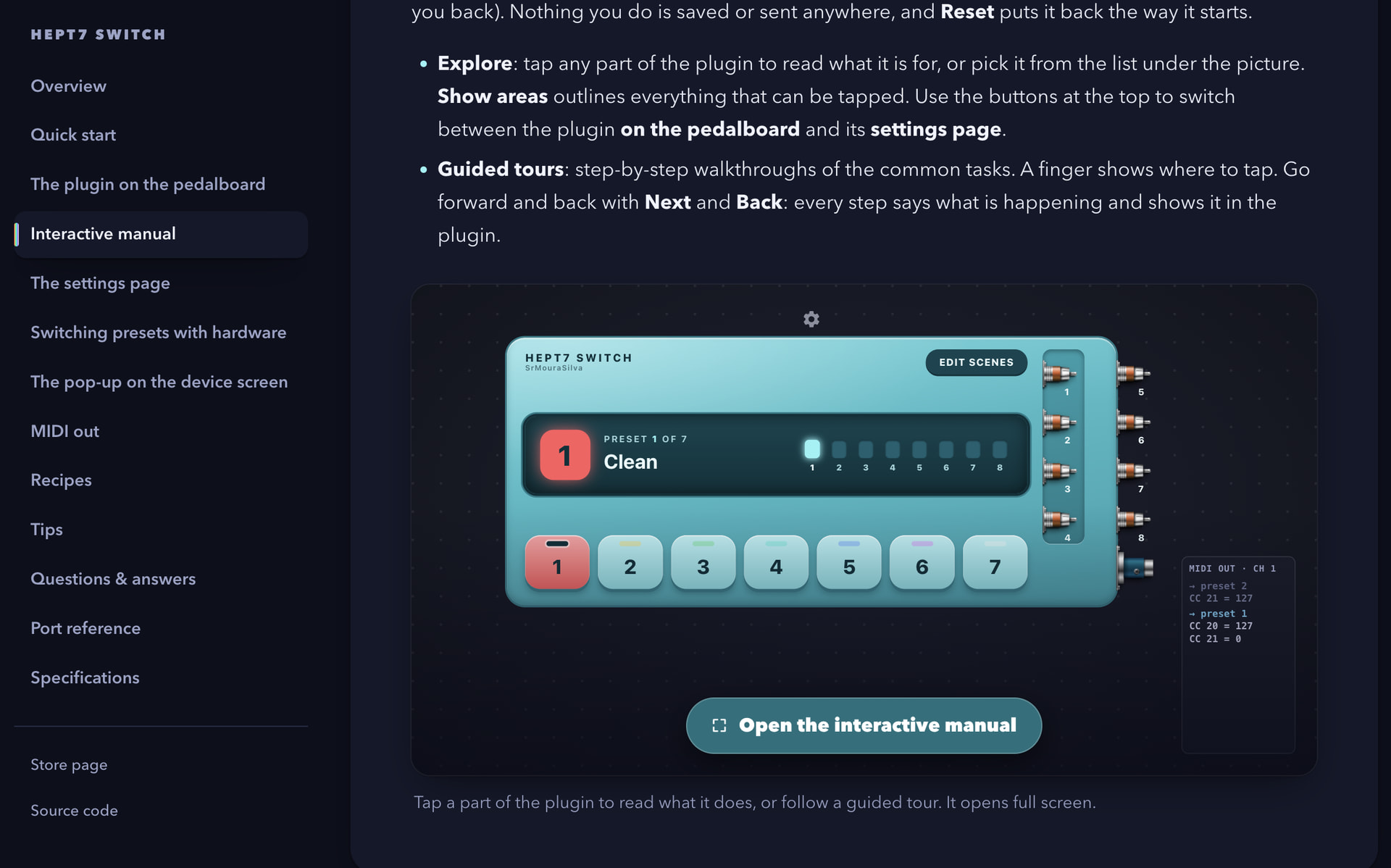
Manual
This plugin comes with an HTML manual, which can also be read online:
My favourite part is the Interactive manual. Since this plugin has many parameters and can be confusing at first sight, I thought this would be a good way to help with the first contact. The Guided tours are worth a look!
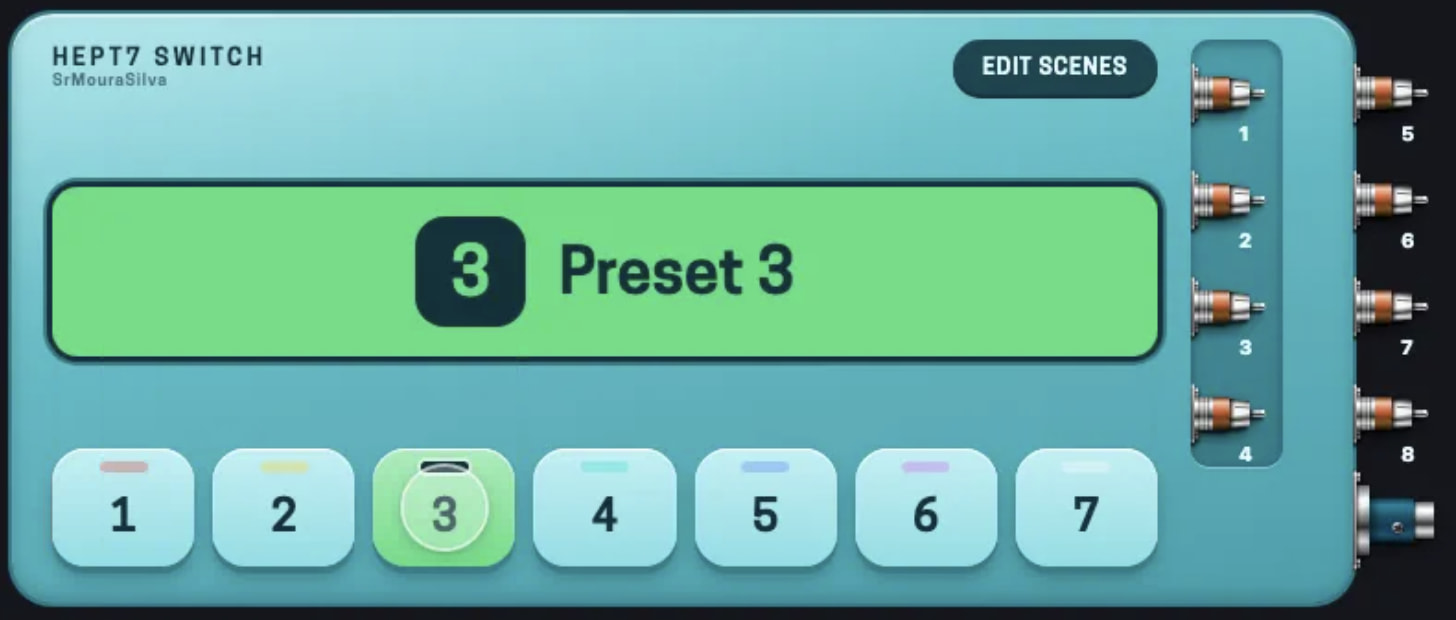
Basic MOD Duo support
Since the MOD Duo doesn’t have HMI Widgets (yet), I tried to make the web interface a bit more intuitive, to highlight which preset is currently active.
Starless HMI Widgets support
Besides Assign to notify, which uses MOD’s HMI Widgets, the plugin also officially supports the Starless HMI Widgets. To me, this turned out more useful than the Assign to notify in Tetr4 Switch, because it makes better use of the screen.
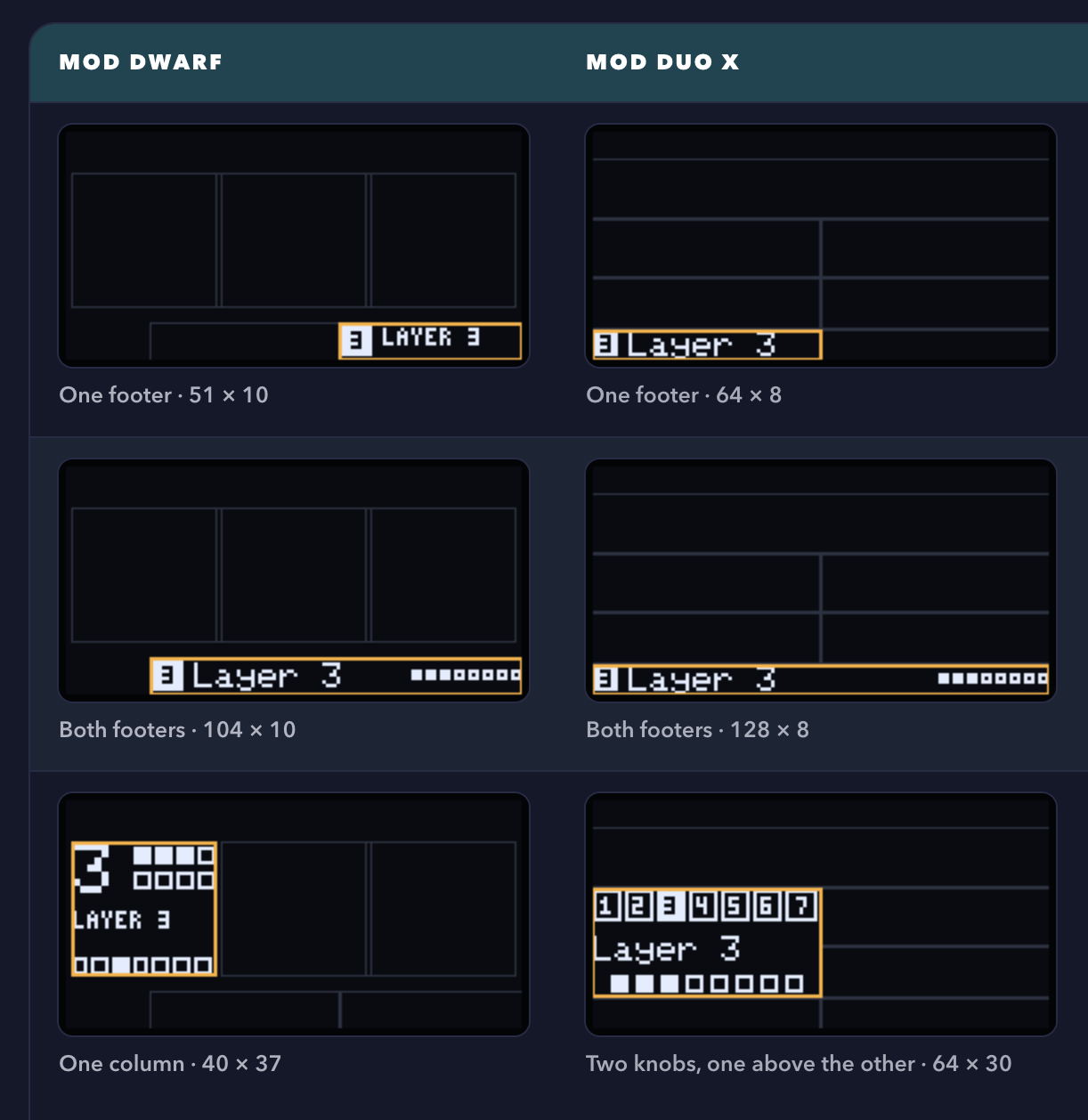
Check the manual for see all widget possibilities.
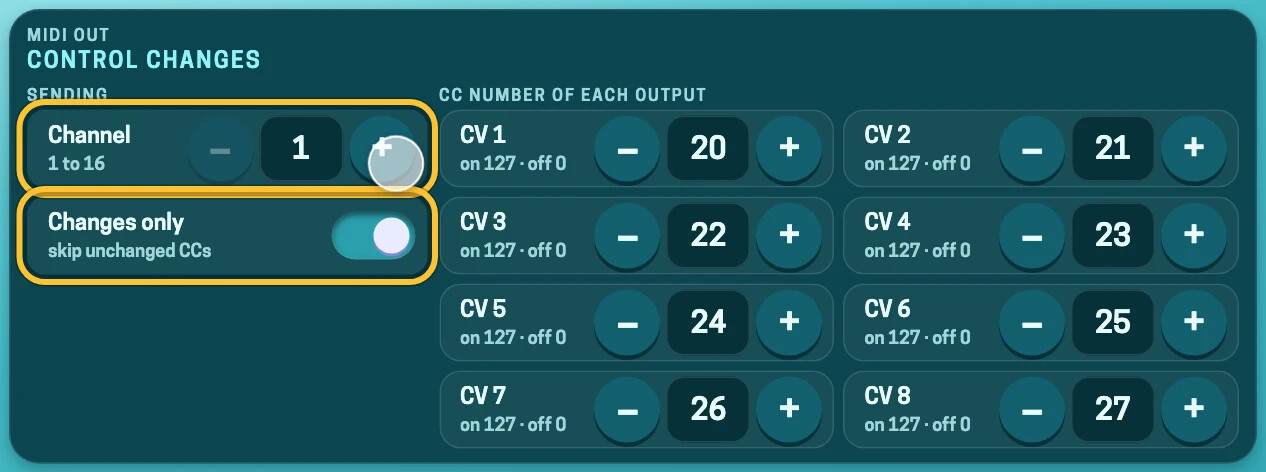
MIDI support
Thanks to @steve for the work done on Tetr4 Switch. I should bring the MIDI feature to Tetr4 Switch soon as well!
How to install
Access SrMouraSilva plugins — documentation, scroll and find Install on my MOD, you will redirected to the MOD cloud builder
Thats It
- Source code, manual and details: GitHub - SrMouraSilva/plugins-lv2: Useful LV2 Plugins - mainly focused for MOD ecosystem · GitHub
Feedback, bug reports and ideas are very welcome. Let me know how you end up using it!
Fun fact: strange as it may sound, the inspiration for the plugin’s layout was the turquoise Nintendo Switch Lite. After all, it is also a Switch. Who knows, maybe one day there will be a computer-networks Switch version.
 ) button. If gear is clicked nothing happens too?